Need help?
Do you have a question about the GEA SIMATIC C7-623 and is the answer not in the manual?
C7-623 control unit for automatic ejection control and condition monitoring of mineral oil separators.
Control system components, including control cabinet and line fittings, with optional extras.
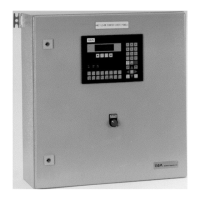
The C7-623 unit is built into the control cabinet door for connection.
Diagram illustrating the layout of the control unit and associated components.
Overview of the control system's design and architecture.
Specifications related to the classification of the control system.
Details on any special designs or configurations of the control system.
Information regarding the assembly of the control system components.
Procedures for installing the control unit within the control cabinet.
Detailed technical specifications of the control unit.
Familiarization with the control unit's operating elements and keys.
Overview of the different display pages available on the control unit.
Guide on how to select different operating modes for the unit.
Information on how to use password protection features.
Description of the initial start screen displayed by the control unit.
Details regarding the interfaces available on the control unit.
Procedure for switching the control unit on.
Description of the control unit's start screen.
How to access and view separator data.
Procedure to display the process text page.
Instructions for retrieving the separator data page.
How to access and view system time-related information.
An overview of the timer functions and settings.
Procedure to access the timer table.
How to view the status of digital inputs.
How to view the status of digital outputs.
How to view the status of analog inputs.
How to view the status of analog outputs.
Procedure to access service-related addresses.
How to view operator time settings.
Procedure to access and view system settings.
Instructions for loading new programs or data onto the control unit.
Details on operating modes specific to different separator types.
Instructions for setting various counters within the system.
Procedure for entering user-defined time values.
List and explanation of error messages and their indicators.
Detailed descriptions of various alarms and their causes.
Troubleshooting guide for system errors and actions to take.
Information and procedures for routine maintenance tasks.
The Westfalia Separator AG C7-623 control unit is an advanced electronic system designed for the automatic ejection control and condition monitoring of mineral oil separators. This unit is primarily intended for use with OSA, OSB, and OSC series separators, ensuring efficient and safe operation in various industrial applications.
The C7-623 control unit serves as the central brain for managing the separation process. Its core function is to trigger total ejections of the centrifuge bowl at preset intervals, with or without prior product displacement. This precise control is crucial for maintaining high clarifying efficiency and minimizing desludging losses, especially when the separable solids content in the product fluctuates.
For OSC separators, the unit offers flexible ejection modes, including partial ejections, total ejections, and preselectable partial ejections followed by a total ejection. This adaptability allows for optimization based on specific process requirements.
A key feature of the C7-623, particularly when integrated with UNITROL systems, is its comprehensive monitoring capabilities. It incorporates two basic monitoring systems: the Water Content Monitoring System (WMS) and the Sludge Space Monitoring System (SMS). These systems continuously assess critical parameters, providing real-time data to ensure optimal performance and prevent potential issues.
The unit also supports series operation for two-stage HFO (Heavy Fuel Oil) treatment, demonstrating its versatility in complex separation processes. Software assignment to specific separator types is performed at the factory, often requiring a password for configuration, which ensures tailored functionality and security.
The C7-623 control unit is designed for user-friendly interaction, providing clear and concise information about the separator's operational status and any malfunctions. The illuminated four-line LC display presents relevant process data, making it easy for operators to monitor the system at a glance.
The control system extends beyond the main unit, encompassing all complete line fittings with electrical components that are controlled or monitored by the C7-623. This integrated approach ensures seamless operation and comprehensive oversight of the entire separation process.
Standard components controlled or monitored by the unit include:
For UNITROL centrifuges, additional components are integrated:
Optional extras enhance the unit's functionality and adaptability:
The standard C7-623 unit is configured for single operation of purifiers or clarifiers. However, for two-stage HFO operation, series operating mode can be pre-selected after entering a password, requiring appropriate cabling of MPI (Multi Point Interface) interfaces.
The C7-623 control unit is designed with maintenance in mind, providing features that facilitate troubleshooting and upkeep. The clear display of operating and malfunction conditions, along with relevant process data, aids in quickly identifying issues.
The instruction manual provides detailed information on special functions and error messages, enabling maintenance personnel to diagnose and resolve problems efficiently. The modular design of the control system, with its integrated components, simplifies the process of identifying and replacing faulty parts.
The unit's ability to monitor various parameters, such as water content, sludge space, and temperatures, allows for proactive maintenance. By detecting deviations from normal operating conditions, potential failures can be anticipated and addressed before they lead to significant downtime.
The inclusion of optional features like the klaxon for audible alarms further supports maintenance by immediately alerting personnel to critical events, ensuring a rapid response. The overall design emphasizes reliability and ease of service, contributing to the longevity and consistent performance of the separation system.
 General
| Product type designation | SIMATIC C7-623 |
|---|---|
| Type | Control Unit |
| Memory | 512 KB |
| Input Voltage | 24 V DC |
| Digital inputs | 16 |
| Digital outputs | 16 |
| Analog inputs | 4 |
| Analog outputs | 2 |
| Display | Yes |
| Display Type | LCD |
| Power Supply | 24 V DC |
| Protection Class | IP20 |
| Interface | PROFIBUS DP |
| Communication | PROFIBUS DP |
| Operating Temperature | 0°C to 50°C |

 To Next Page