How To Use
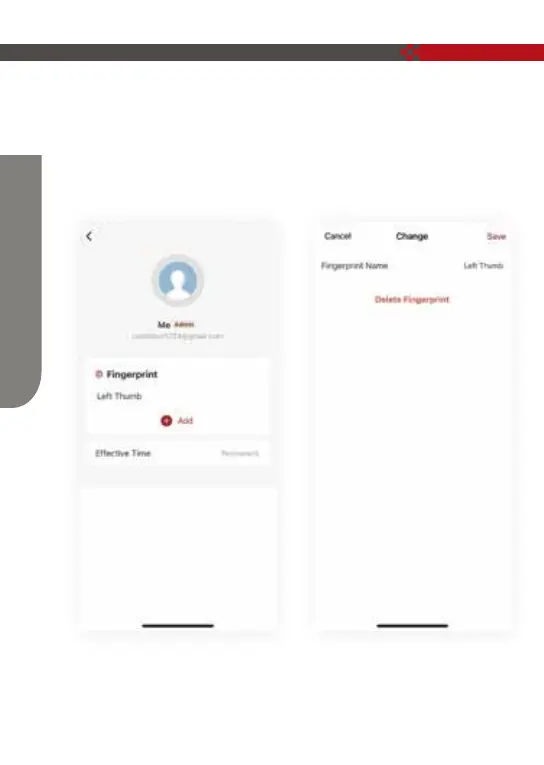
6. Delete fingerprint (operate on the lock side)
Member management → click (fingerprint icon) of XXXX → click (fingerprint to be
deleted) → (operate according to the prompt displayed on the mobile phone),
after the deletion is successful, the fingerprint cannot be unlocked.
Note: The lock end should retain an administrator fingerprint.
13


 To Next Page