Indicator Light
1. Add fingerprint
The link is successful (the fingerprint head light turns blue to indicate the
prompt).
2. Fingerprint, mobile phone APP unlock
Success (the buzzer beeps once, and the fingerprint headlight flashes green
to indicate prompt).
Failed (the buzzer beeps twice, the fingerprint headlight flashes red to indicate
prompt).
3. Low power
After the fingerprint and mobile APP are successfully unlocked (the buzzer
beeps once, the fingerprint head flashes green and then flashes red).
16
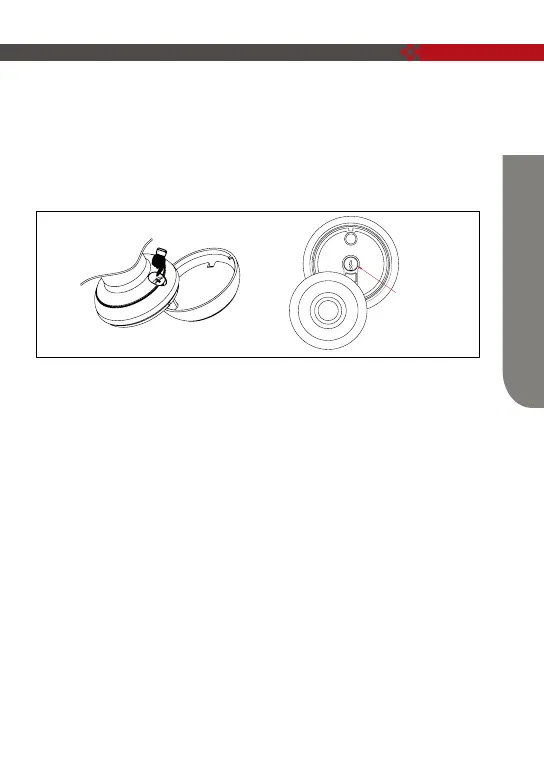
Key Unlock
Press the screw in the back of the front knob, the fingerprint head cover will come out
for you to easily pull and turn.
Pull out the fingerprint head cover, turn the key 90° to unlock, then turn the front
ball to open the door.
Lock
cylinder
How To Use


 To Next Page