EasyManua.ls Logo

GeekTale K01 - User Manual

GeekTale K01
19 pages
Print Icon
To Next Page IconTo Next Page
Loading...
Model No.: K01
User Manual
IMPORTANT:Read the instructions
carefully before operating the appliance
and keep them for future reference.
Question and Answer IconNeed help?

Do you have a question about the GeekTale K01 and is the answer not in the manual?

Summary

Product Description

Product Dimensions

Detailed measurements of the smart lock components including knobs and lock body.

ONE Product Features

Lists key functionalities: unlock methods, power interface, and security modes.

TWO Product Ribbon

Identifies and labels the various components of the smart lock with numbers.

Lock Body Opening Diagram

Illustrates the required dimensions for lock body installation on a door.

Specifications

Technical Parameters

Details technical specifications: unlock time, voltage, temperature, and current.

Packing List

Lists all components included in the product package with quantities.

How To Use

Installation Method

Step-by-step guide for installing the smart lock on a door.

Add Bluetooth to APP (GEEK SMART)

Instructions for connecting the smart lock to the Geek Smart mobile application.

Add Administrator Fingerprint

Process for adding an administrator's fingerprint via the mobile app.

Add Ordinary User Fingerprint

Guide for adding fingerprints for regular users through the app.

Delete Fingerprint

Instructions on how to remove existing fingerprints from the smart lock.

Remote Unlocking

How to unlock the smart lock remotely using the mobile app.

Automatic Lock

Configuration options for the automatic locking feature of the smart lock.

Key Unlock

Method for unlocking the smart lock using a physical key.

Indicator Light

Explains the meaning of various indicator light signals on the lock.

Other Instructions

Factory State Reset

Instructions on how to reset the smart lock to its factory default state.

Overview

This document describes the Geek Tale K01 Smart Lock, a device designed for smart home security, offering multiple unlocking methods and integration with a mobile application.

Function Description

The Geek Tale K01 is a smart door lock that provides secure access control for residential areas, apartments, offices, and office buildings. Its primary function is to secure a door while offering convenient and flexible unlocking options. The lock supports fingerprint recognition, traditional key access, and control via a mobile application (Geek Smart). It also includes a passmode for temporary access and an emergency power interface (Type-C) for situations where the battery runs low. The device is designed to enhance home security with its secure lock mode and smart features.

Important Technical Specifications

The K01 smart lock operates within a voltage range of 4.5V to 6.5V. It features a low power warning at 4.8V ± 0.2V, ensuring users are alerted before the battery fully depletes. The device supports up to 20 fingerprints for access. Its stand-by current is less than 90uA, and the working current is less than 250mA, indicating efficient power consumption. The unlock time is approximately 1.5 seconds, providing quick access. The lock is designed to operate in a wide range of temperatures, from -5°C to 55°C. It is compatible with door thicknesses between 35mm and 55mm. The emergency power interface is a Type-C USB, allowing for external power supply in case of battery failure.

The lock body dimensions are 62mm in width and 80mm in height for both the exterior and interior knobs. The diameter of the fingerprint reader is 76mm. The latch mechanism has specific dimensions: a length of 60mm (extending to 70mm), a width of 41mm, and a depth of 25mm. The strike box is 42mm wide and 55mm high. The lock body opening diagram specifies a 50mm diameter hole for the main mechanism and a 25mm x 22mm rectangular cut-out for the latch, with a depth of 14mm for both the main mechanism and the strike plate.

The packing list includes one exterior knob, one interior knob, two keys, one data line, one pin, one strike box, two Screw B, one manual, four Screw A, one latch, one white box, and one strike plate.

Usage Features

The Geek Tale K01 offers several user-friendly features:
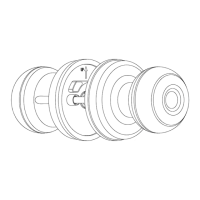
  • Multiple Unlock Ways: Users can unlock the door using their registered fingerprint, a traditional physical key, or through the Geek Smart mobile application.
  • Passmode: This feature allows for temporary or recurring access without needing to register individual fingerprints or provide keys.
  • Emergency Power Interface (Type-C): In case the batteries run out, a Type-C USB port can be used to provide emergency power, ensuring access is always possible.
  • Secure Lock Mode: This mode enhances security, though specific details of its operation are not provided in the excerpt.
  • Mobile App Integration (Geek Smart): The lock connects to a mobile application via Bluetooth, allowing for remote management and control.
    • App Download: The Geek Smart app is available for both Android (Google Play Store) and iOS (iPhone App Store).
    • Device Addition: Users can add the K01 smart lock to the app by pressing the "+" icon, selecting "Smart lock," and following the on-screen prompts. Touching the fingerprint head on the app helps wake up Bluetooth for faster linking.
    • Administrator Fingerprint: After linking, an administrator fingerprint must be added to the lock end. This administrator has priority authority to manage the lock, including adding/deleting fingerprints and BLE unlock. Only the first BLE connected mobile phone can be the priority admin.
    • Ordinary User Fingerprint: Ordinary user fingerprints can also be added through the app, following a similar process, but these users do not have the same administrative privileges.
    • Fingerprint Deletion: Fingerprints can be deleted via the app. The lock requires at least one administrator fingerprint to remain.
    • Remote Unlocking: The lock supports remote unlocking through the app's settings, provided a gateway is connected.
    • Automatic Lock: The "Auto-lock" feature can be enabled or disabled. When enabled, the lock automatically engages after a set delay. When disabled (normally open), the lock will not automatically lock after starting but can be closed via the app or unlocked with a fingerprint.
  • Key Unlock: To use the physical key, press the screw at the back of the front knob to expose the fingerprint head cover. Pull out the cover, turn the key 90° to unlock, and then turn the front ball to open the door.
  • Indicator Light:
    • Adding Fingerprint: A blue light indicates successful linking.
    • Unlock Success: The buzzer beeps once, and the fingerprint headlight flashes green.
    • Unlock Failed: The buzzer beeps twice, and the fingerprint headlight flashes red.
    • Low Power: After a successful unlock, the buzzer beeps once, and the fingerprint head flashes green and then red.

Maintenance Features

  • Battery Installation: The lock uses 7# alkaline batteries. Users must pay attention to the correct polarity (positive and negative electrodes) during installation. The battery cover is installed as shown in step ⑦ of the instructions.
  • Factory Reset: To reset the lock to its factory state, use a pin to press the setting button in the back knob for 5 seconds. The buzzer will beep once, and the fingerprint head will flash green, indicating a successful reset. In the factory state, any fingerprint can unlock the device.
  • Door Thickness Adjustment: The lock body's square hole distance needs to be adjusted according to the door edges and the opening of the lock body used. Refer to the opening diagram for precise measurements.
  • Wiring: The front and rear wirings must be connected correctly during installation. The "UP" arrow on the rear panel should face upwards.

GeekTale K01 Specifications

General IconGeneral
BrandGeekTale
ModelK01
CategoryLocks
LanguageEnglish

Related product manuals