16
Installing Batteries
The rechargeable Ni-MH batteries (AAA size) come with
your phone. Install the battery before using your phone.
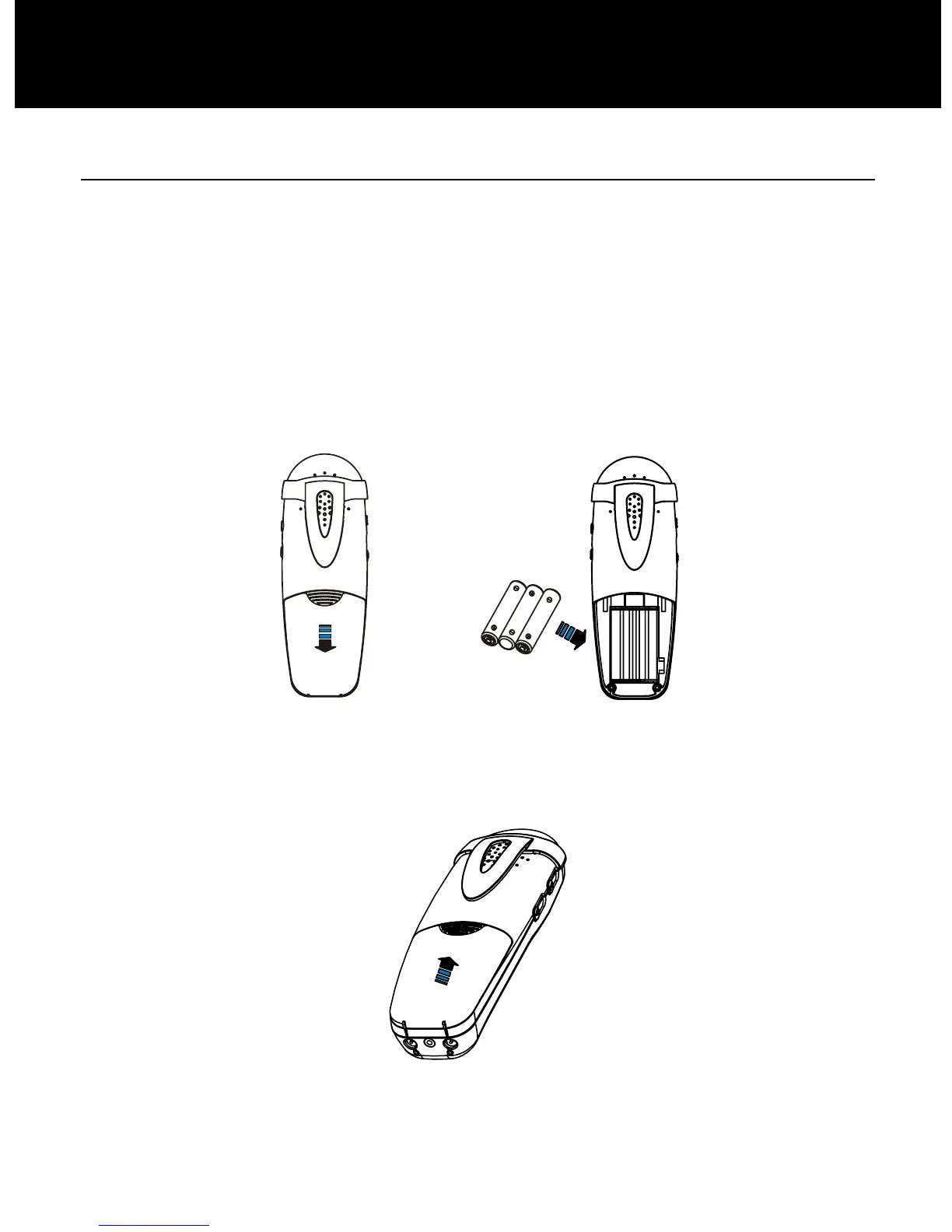
1. Slide the battery cover in the direction of the arrow and
pull it out.
2. Insert new batteries as indicated, matching correct
polarity (+,-).
Note: Reversing the polarity may damage the handset.
3. To replace the battery cover, slide the cover up until it
snaps in place.
INSTALLATION


 To Next Page