49
One-Touch Memories
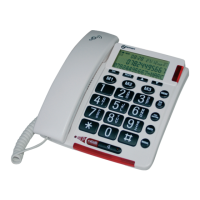
You can store up to 4 numbers in direct memories. All the
numbers will be stored in the phone book.
Storing Memory Numbers
1. Press the memory key (M1 to M4) in standby mode.
2. The display shows "Number ?". Enter the desired
number (up to 20 digits), press the Next soft key.
3. Use
or key to select the ring you like to
associate with the number, press the Save soft key to
confirm.
Viewing Memory Numbers
1. In the standby mode, press the
key.
2. Press
or key repeatedly until the desired
number is displayed.
Dialing from One-touch Memories
In the standby mode, press M1 to M4 to dial out the
corresponding number.
ADVANCED FUNCTIONS


 To Next Page