11
Routine Operation
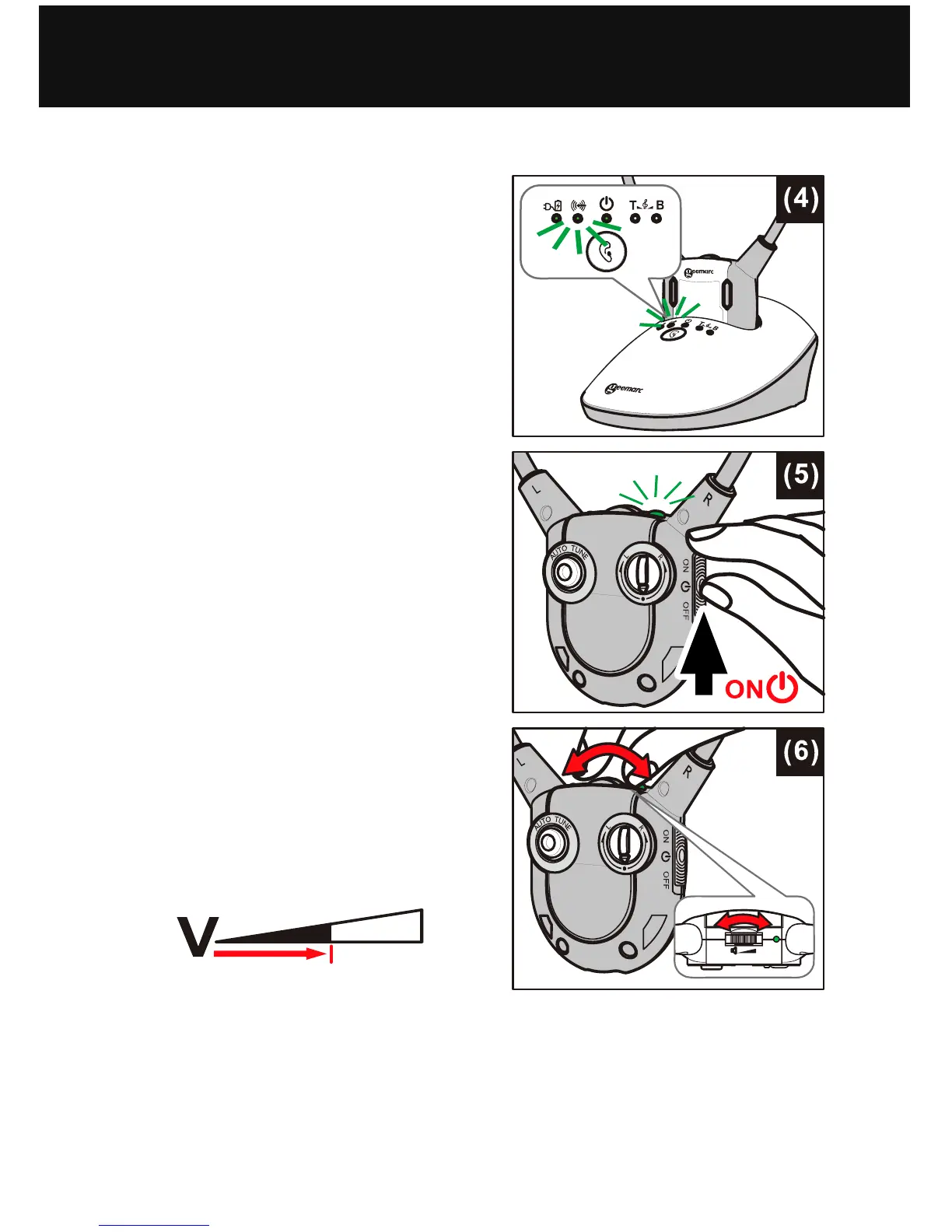
1. Switch on the Audio Source
(TV set or audio device) that
the Transmitter is connected
to. The Signal LED Indicator
will glow continuously (see
figure (4) at right).
2. On the Headset Receiver,
switch the ON the On/Off
Switch (see figure (5) at right).
The green signal LED
Indicator will glow
continuously.
3. Adjust the Volume to the
desired sound level (see
figure (6) at right), then fit the
Earbuds in your ears.
NOTE: Make sure the volume
on your Audio Source (TV set
or other audio device) is turned
up to at least half of its full
volume to get good sound
quality in your Earbuds.
OPERATION


 To Next Page