Contents
Download & Register 2-4
Plug In 5
Connect (Easy Mode) 6-7
Connect (QR Code Mode) 8-9
Settings 10-11
Live View & Playback 12-13
Questions, Troubleshooting, Notices 14-15
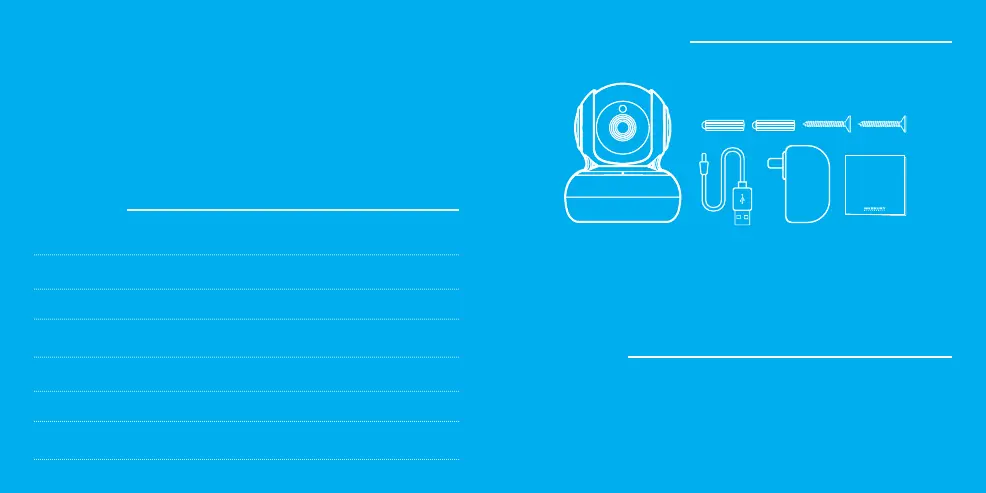
What’s in the Box
Get Ready
• Smart Wi-Fi Camera
• Mounting Kit
(Screws + Wall Anchors)
• Power Adapter
• Power Cable
• User Manual
• Know your Wi-Fi network and password
• Make sure your mobile device is running iOS
®
9 or higher
or Android™ 5.0 or higher
• Make sure you’re connecting to a 2.4GHz Wi-Fi network
(Geeni can’t connect to 5GHz networks)
SMART WI-FI
CAMERA
START GUIDE
Thank you for purchasing your GEENI smart home product.
Get started using your new devices by downloading Geeni, one
convenient app that manages everything straight from your
phone or tablet. Easily connect to your home Wi-Fi and control
multiple devices from the touch of your fingertips.



 To Next Page