1312
Live View Playback
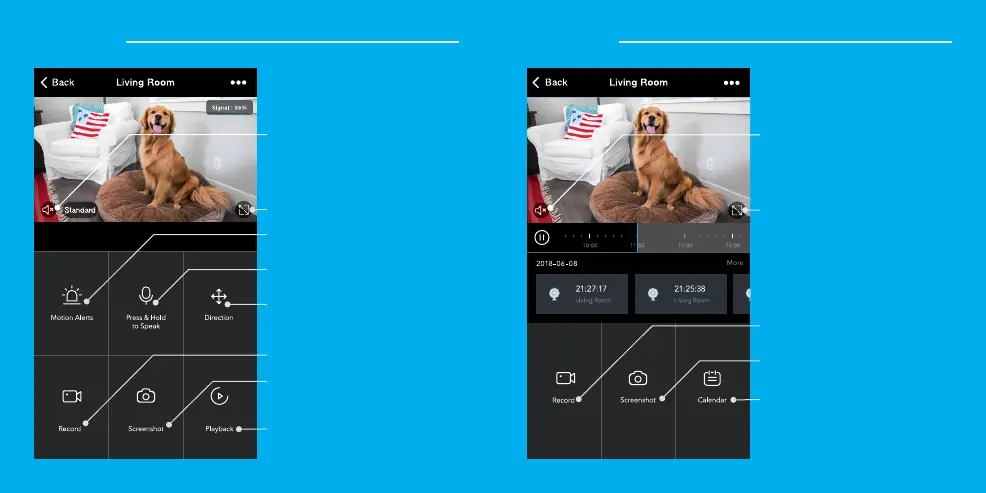
Hear what’s happening around
the camera
Hear what’s happening around
the camera
Hold arrows or swipe screen to
rotate camera view
Full screen
Full screen
Activate push notifications to be
notified of any movement
Press to activate the microphone
and speak through the camera.
Save the live camera footage
onto your phone memory
Save a screenshot of live video
onto your phone memory
Play back recorded footage
(microSD card required)
Change date of video playback
Save the playback footage
onto your phone memory
Save a screenshot of playback
footage onto your phone memory



 To Next Page