6
How to Connect the DisplayPort Booster
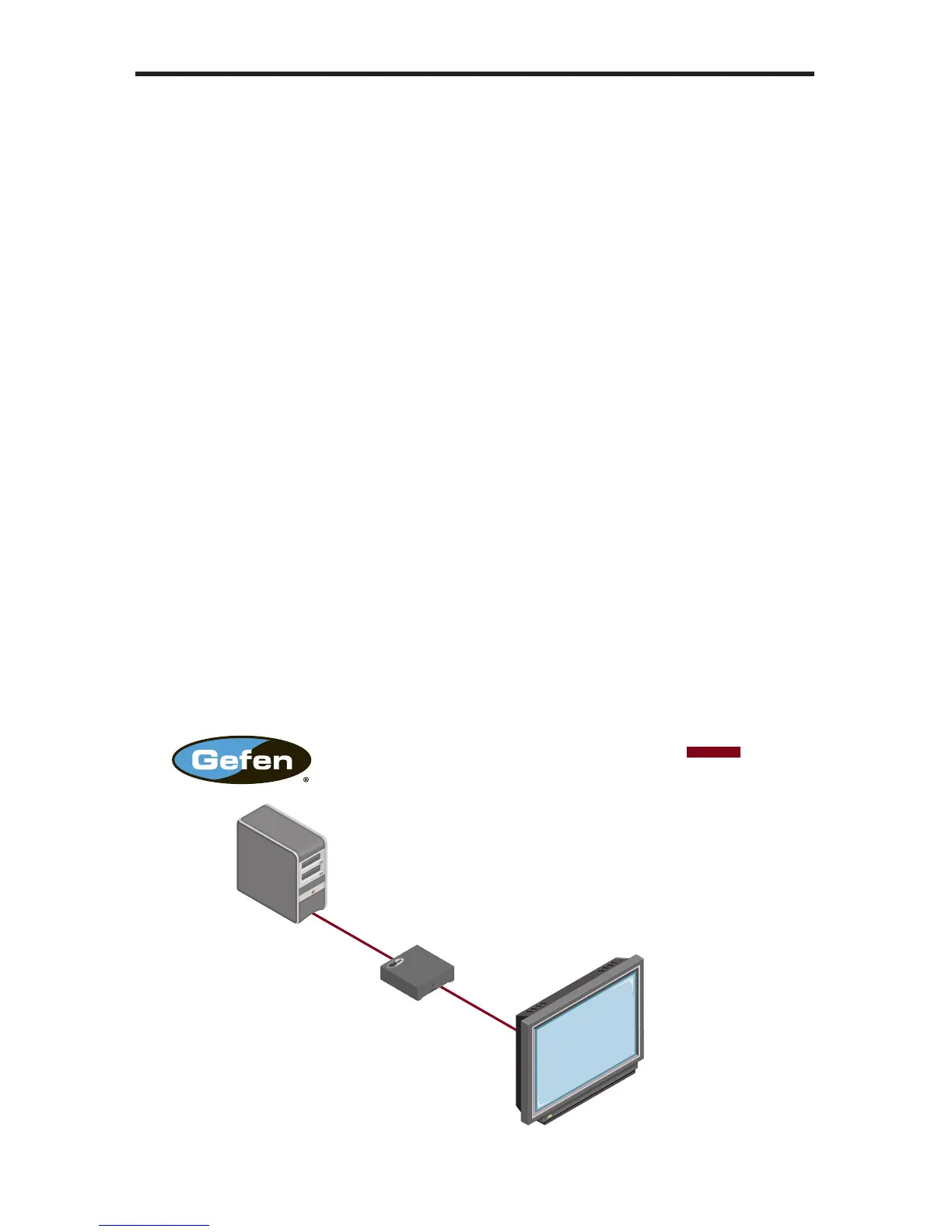
1. Connect a DisplayPort cable between the DisplayPort source and the In port
of the DisplayPort Booster.
2. Connect a DisplayPort cable from the Out port on the DisplayPort Booster to
the display.
3. Connect the included 5V DC power supply to the power receptacle on the
DisplayPort Booster and connect the plug to an available electrical outlet.
Wiring Diagram for the DisplayPort Booster
Computer
DISPLAYPORT CABLE
Short DisplayPort Cable
Long DisplayPort Cable
(Up To 150 Feet)
DisplayPort Booster
DisplayPort Monitor
EXT-DP-141B
CONNECTING THE DISPLAYPORT BOOSTER



 To Next Page