page | 18
When the HDMI Detective Plus is connected to a computer running the Windows®
operating system, a vitual communications port is created.
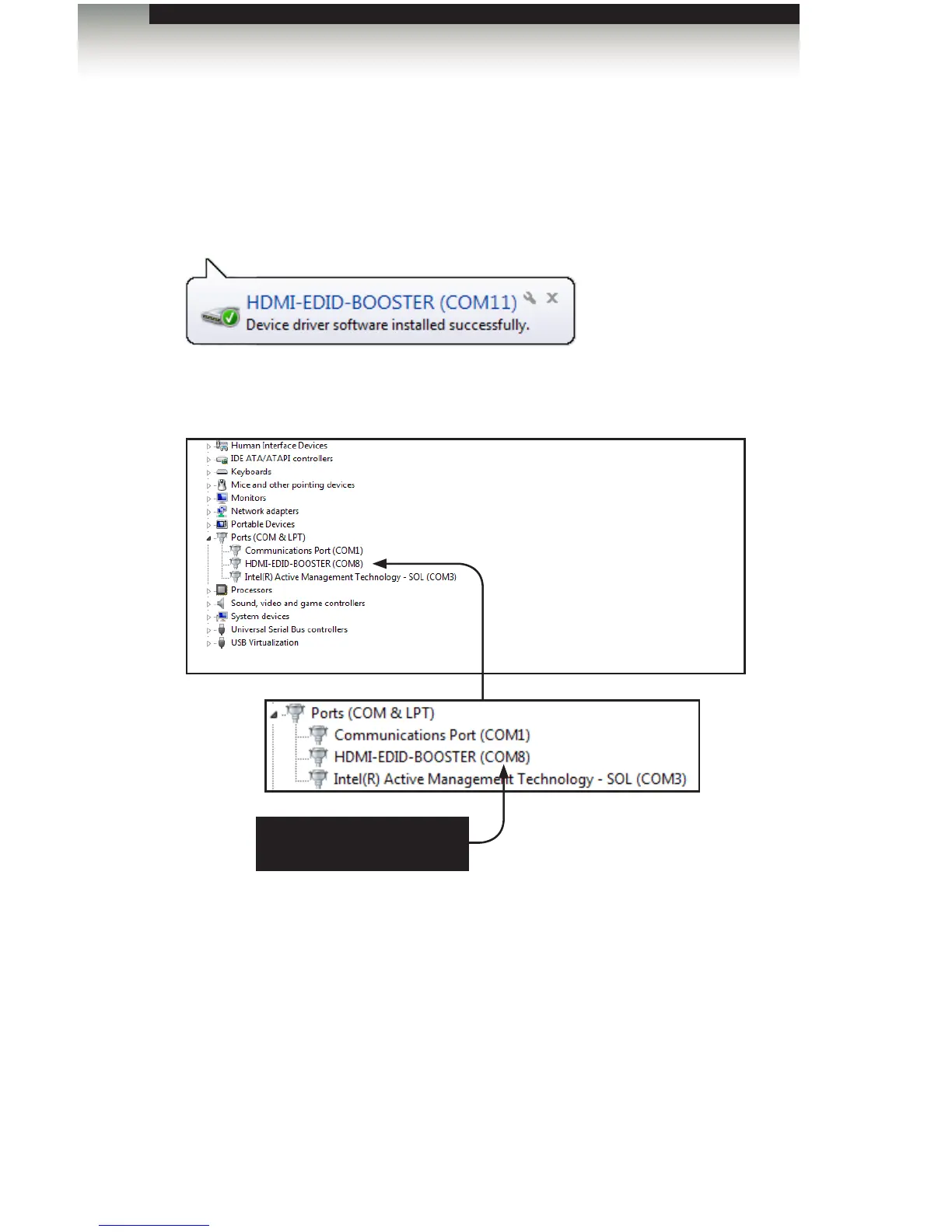
1. Connect the USB-to-Mini USB cable between the detective and the PC.
2. The COM port driver will automatically be installed:
3. Go to Control Panel > Device Manager and click Ports to see the driver.
The driver will be identied as HDMI-EDID-BOOSTER, as shown below:
4. Refer to Installing the Driver, if driver is not present or is listed as an unknown device.
5. Launch the terminal-emulation program and set the terminal-emulation program to
use the COM port specied next to the driver. COM 8 has been automatically
assigned by the driver.
Advanced Operation
Using the Virtual COM Port
Set the terminal program to
use the specied COM port


 To Next Page