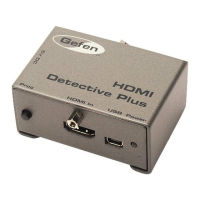
3GSDI Audio EmbedderHDMI Detective Plus
Table of Contents
viii
01 Getting Started
Panel Layout ......................................................................................................... 2
Back .............................................................................................................. 2
Top ................................................................................................................ 2
Front .............................................................................................................. 2
Left ................................................................................................................ 2
Installation ............................................................................................................. 4
Connecting the HDMI Detective Plus ............................................................ 4
Sample Wiring Diagram ................................................................................ 4
02 Operating the HDMI Detective Plus
EDID Programming ............................................................................................... 8
Programming an External EDID .................................................................... 8
Passing HDCP Content ................................................................................. 9
Recording an EDID to a EDID Bank ........................................................... 10
Loading an EDID from a EDID Bank ........................................................... 11
Saving the Local EDID to a File .................................................................. 12
Uploading an EDID le to the Local Input ................................................... 13
Uploading an EDID le to a EDID Bank ...................................................... 14
03 Advanced Operation
Using the Virtual COM Port ................................................................................. 18
Installing the Driver ..................................................................................... 19
Commands .......................................................................................................... 21
04 Appendix
Installing the Gefen EDID Tool+ .......................................................................... 36
Firmware Upgrade Procedure ............................................................................. 40
Using the #fw_upgrade command .............................................................. 40
Specications ...................................................................................................... 41


 To Next Page