27
OPERATING THE GEFEN TV SD PVR
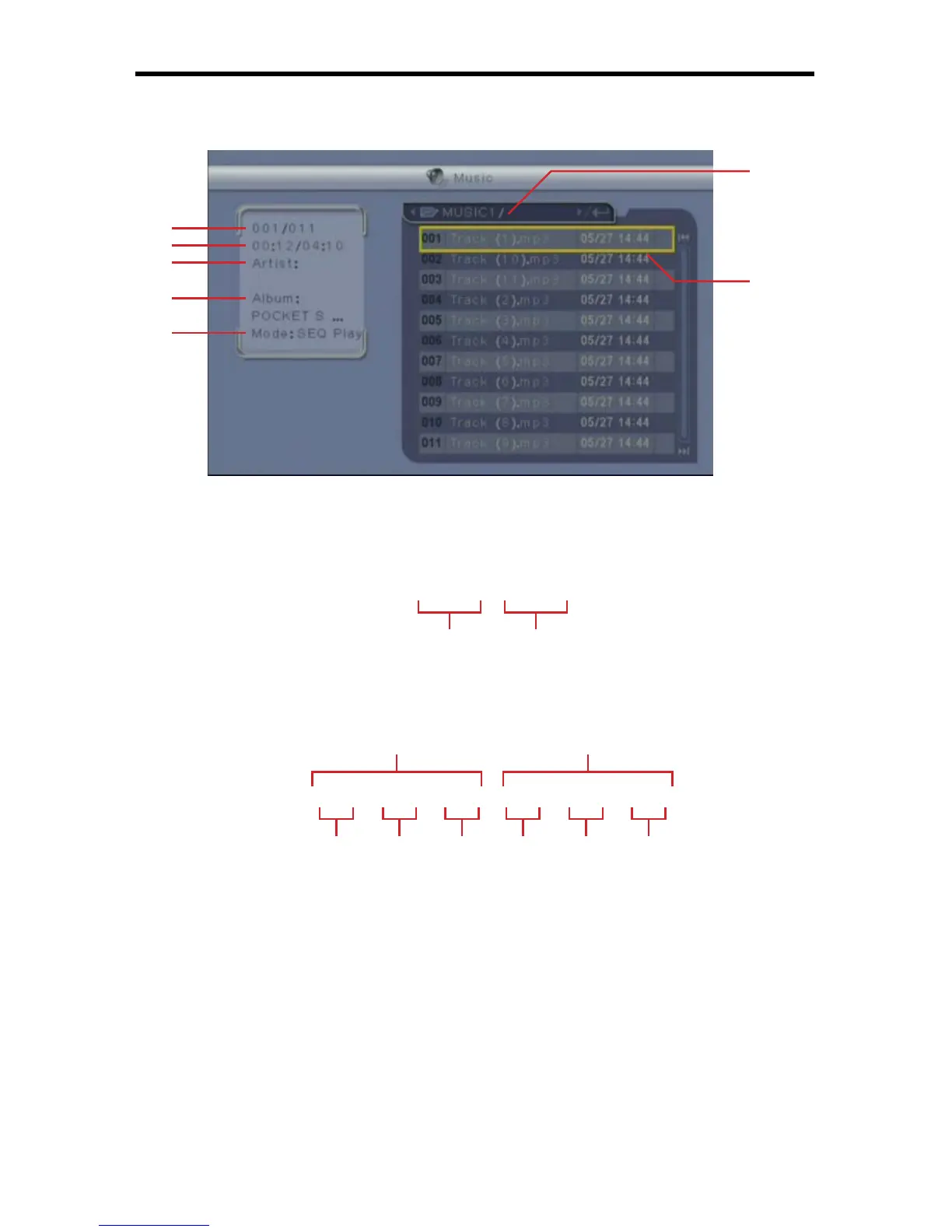
The Music Menu (4B-3) is where all stored music will be available for listening
and managing.
4B-3
SELECTED MOVIE TRACK NUMBER1
This shows the track number of the selected music fi le. The format is as
follows:
0 0 0 / 0 0 0
TRACK TIME2
This displays the current track’s playback position in time and the track’s
total playback time. The time format is as follows:
0 0 : 0 0 : 0 0 / 0 0 : 0 0 : 0 0
ARTIS3 T
Artist information is displayed here if available.
ALBUM4
Album information is displayed here if available.
REPEAT MODE5
The currently selected Repeat Mode is displayed here. To change the
Repeat Mode please see the Repeat Mode function later in this section.
6
7
1
2
3
4
5
Track Number Total Number Of Tracks
Hours Minutes Seconds Hours Minutes Seconds
Current Time
Total Time



 To Next Page