10|PagemadaUserGuidev1.04
2.5 ADVICE
Follow-up to an approved pre-authorization purchase transaction. It is initiated after
the Cardholder received the purchased goods or services. The amount entered in this
transaction supersedes that entered in the pre-authorization purchase.
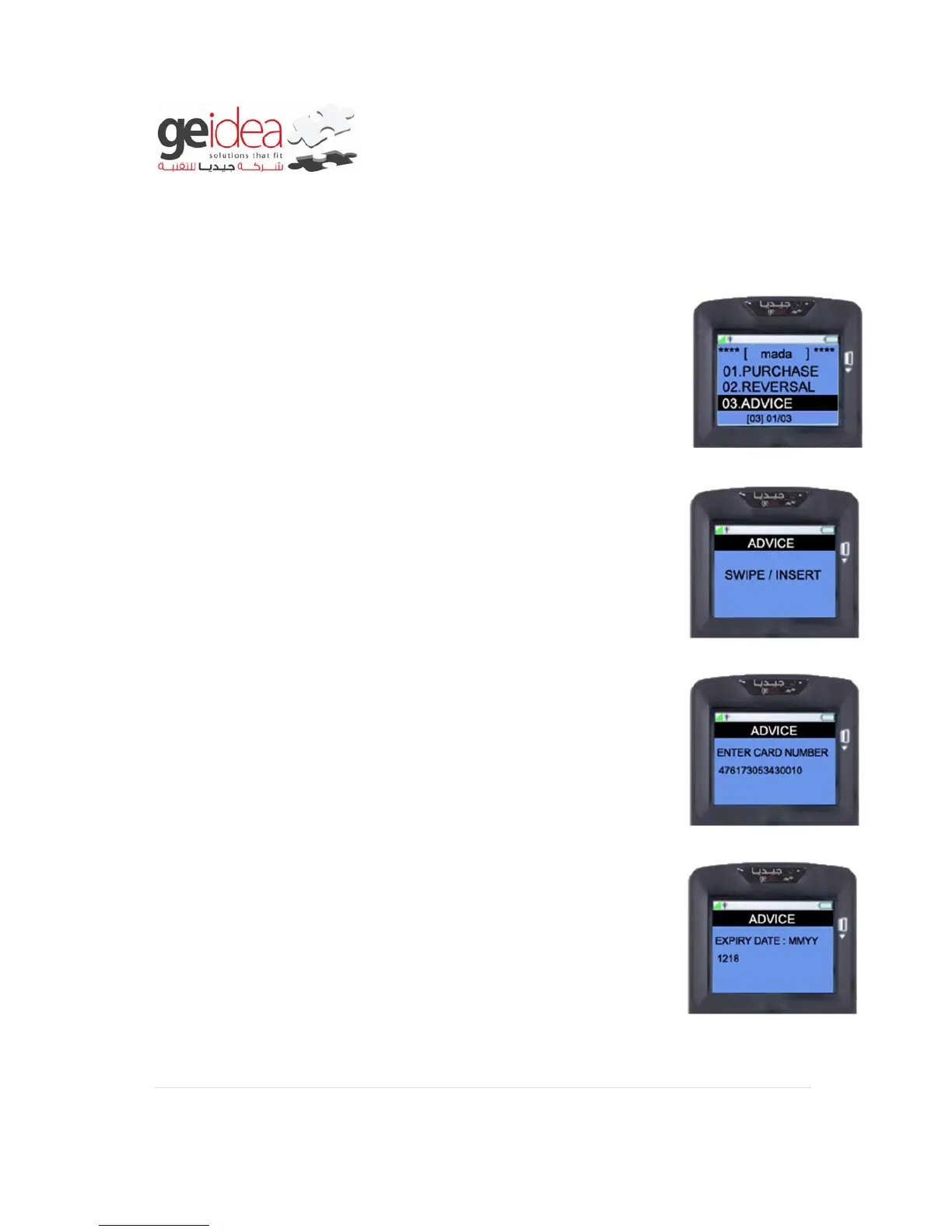
1. Select “ADVICE” from mada menu.
2. “Swipe/Insert” the Card into the Terminal.
Example: VISA Card
3. Instead of Inserting Card and if “ENTER KEY” is Pressed, it will
ask for Card Number. Enter Card Number manually, and then
press “ENTER”
Example: 476173053430010
4. At this screen you have to enter the “EXPIRY DATE” of
Customer’s Card as below without “/” and press “ENTER”
Example: 1218


 To Next Page