18|PagemadaUserGuidev1.04
3. SUPERVISOR OPERATIONS
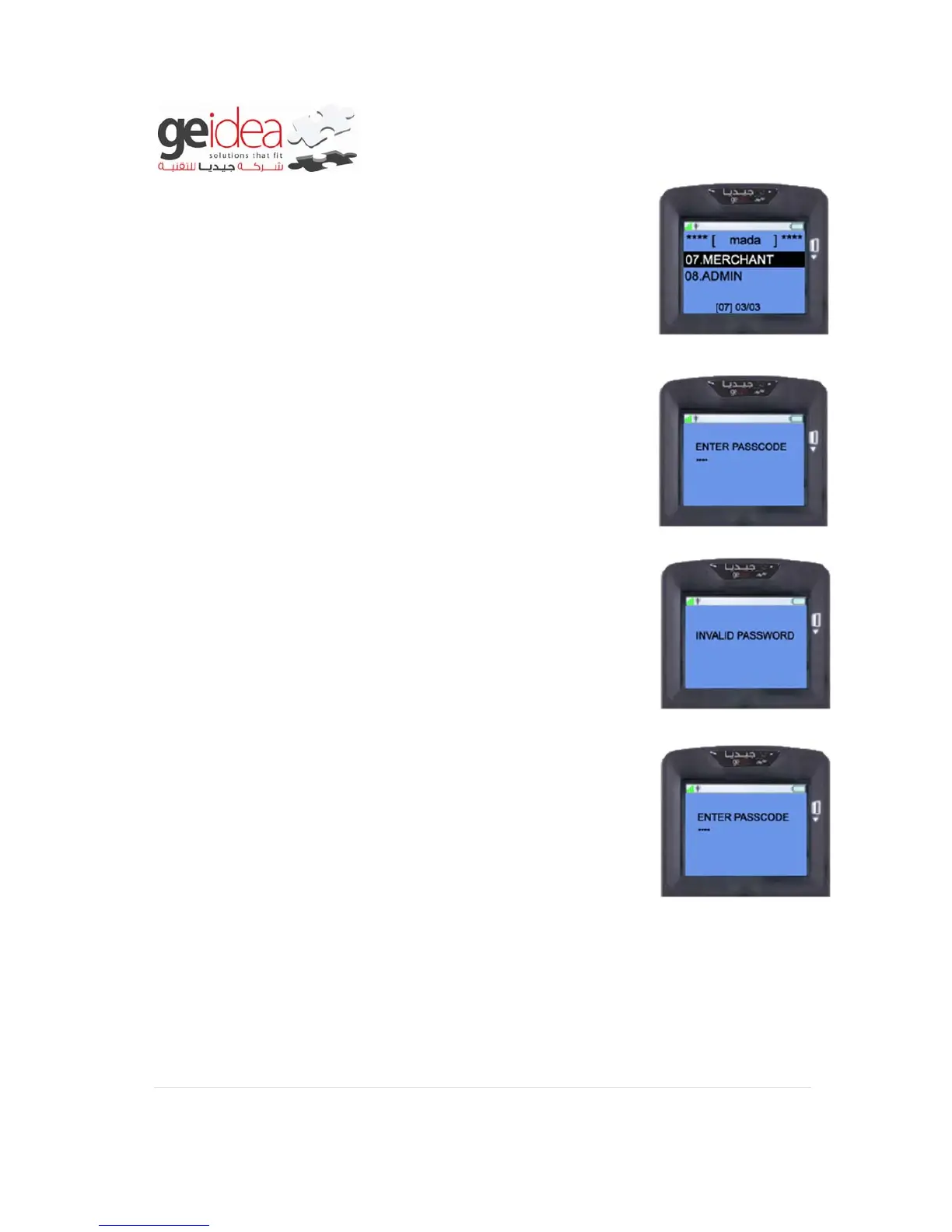
1. Press “ENTER” then number key “7”or Choose “MERCHANT”
from MENU
2. Enter merchant password using number key, and then press
“ENTER” KEY
Example: 1234
3. If the merchant enter wrong password, it will display invalid
password.
4. And it will ask Re-Enter the merchant password, now input the
correct password using number keys then press “ENTER” KEY.
5. Merchant can do all the below operations, if the given password
matched with original password.



 To Next Page