27|PagemadaUserGuidev1.04
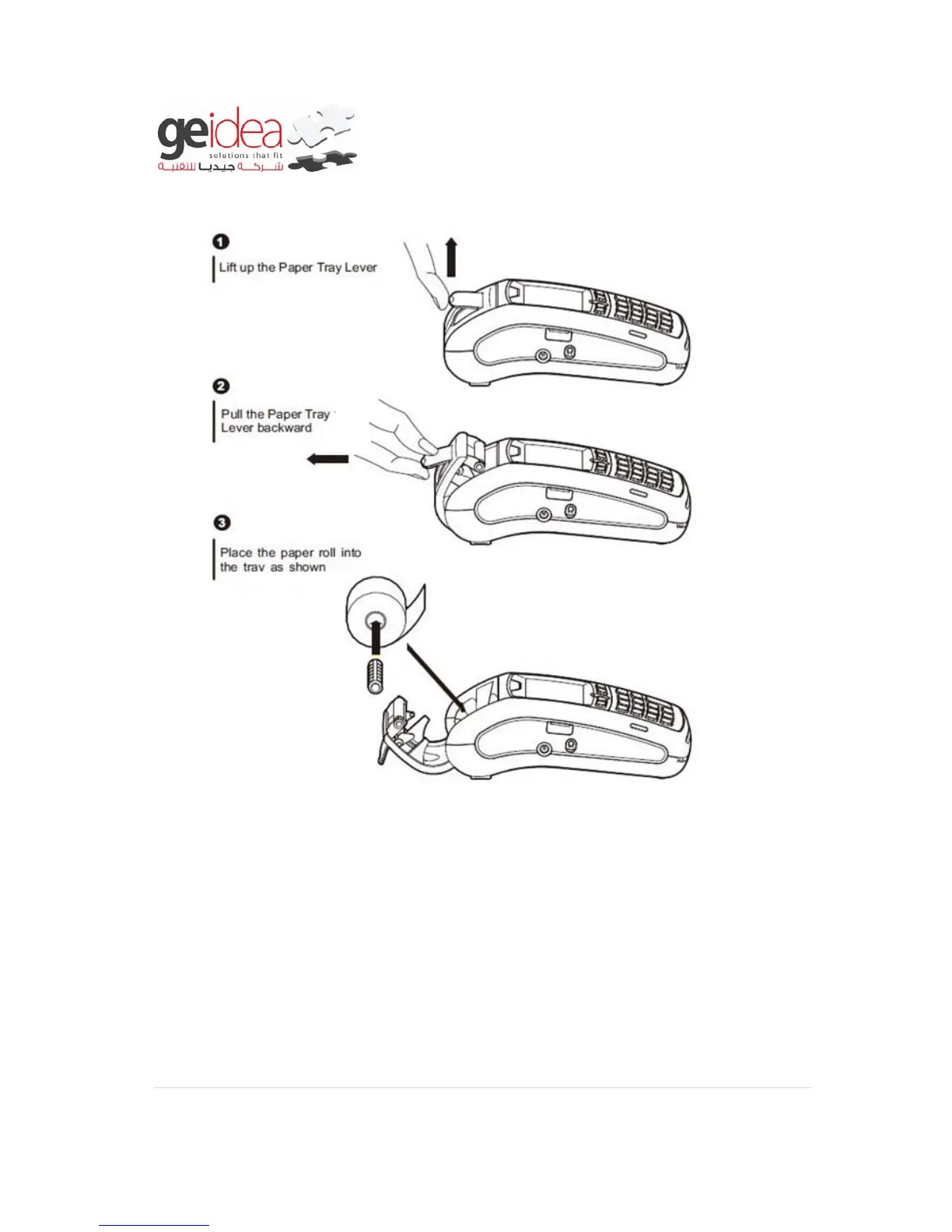
8. RECEIPT PAPER INSTALLATION
9. General Troubleshooting Guidelines
The troubleshooting guidelines provided in the following section are included to assist
the user. If the problem persists after you have followed the guidelines or if the
problem does not appear to be covered by these guidelines, call the Helpdesk.
Blank Display
When the terminal LCD screen does not show correct or clear readable information:
Check the terminal battery level. Ensure it is not empty, if so please charge it.


 To Next Page