3|PagemadaUserGuidev1.04
2. OPERATOR’S TRANSACTIONS
2.1 PURCHASE
A data capture transaction that debits a card holder's account in exchange for goods
or services.
PROCEDURE - 1
Swipe/Insert Card directly into terminal at idle screen to perform the transaction.
PROCEDURE - 2
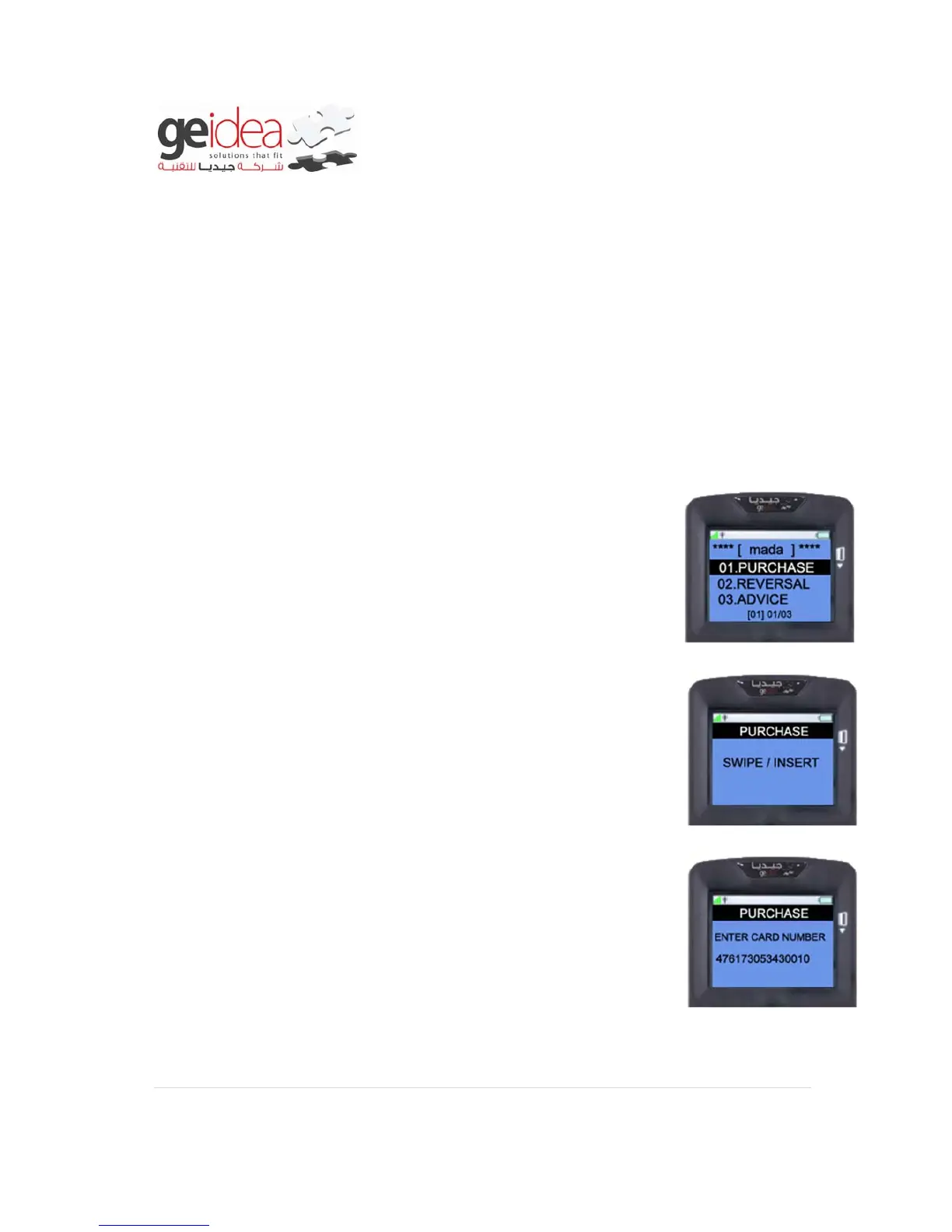
1. Select “PURCHASE” from mada menu.
2. At this Screen, you can either “Swipe/Insert card” or User can
press “ENTER” key to perform manual entry.
Example: mada Card
3. If “ENTER” key pressed, it will ask for “CARD NUMBER” to
enter it in terminal key pad
Example: 476173004430010


 To Next Page