4|PagemadaUserGuidev1.04
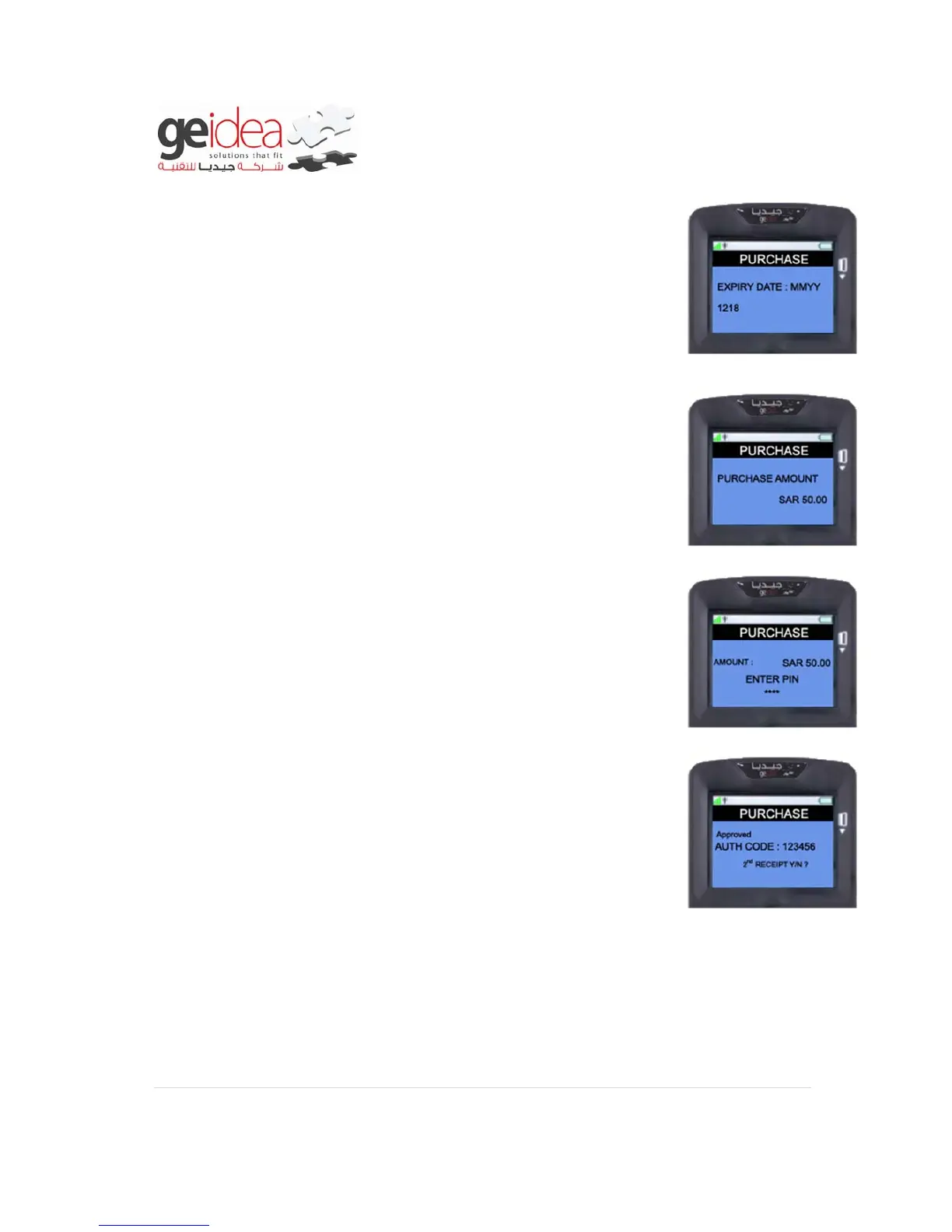
4. Then it will ask for “EXPIRY DATE” of customer’s card. Enter
the “EXPIRY DATE” as same as specified in card but without “/”
Example: 1218
5. Enter the “PURCHASE AMOUNT” and then press “ENTER
KEY”
Example: SAR 50.00
6. At this screen ask customer to enter his/her secret “PIN
NUMBER” and then press “ENTER” to finish the Transaction.
Example: 1234
7. When the transaction gets completed, the receipt will be printed
in terminal as below.


 To Next Page