9|PagemadaUserGuidev1.04
2.4 REVERSAL
Reversal can only be done for the last purchase of transaction within 60 seconds. A
Reversal advice shall be used to null, if the effects of a previous financial or
authorization transaction. mada expects to receive a Reversal advice from the
terminal when a transaction does not complete successfully.
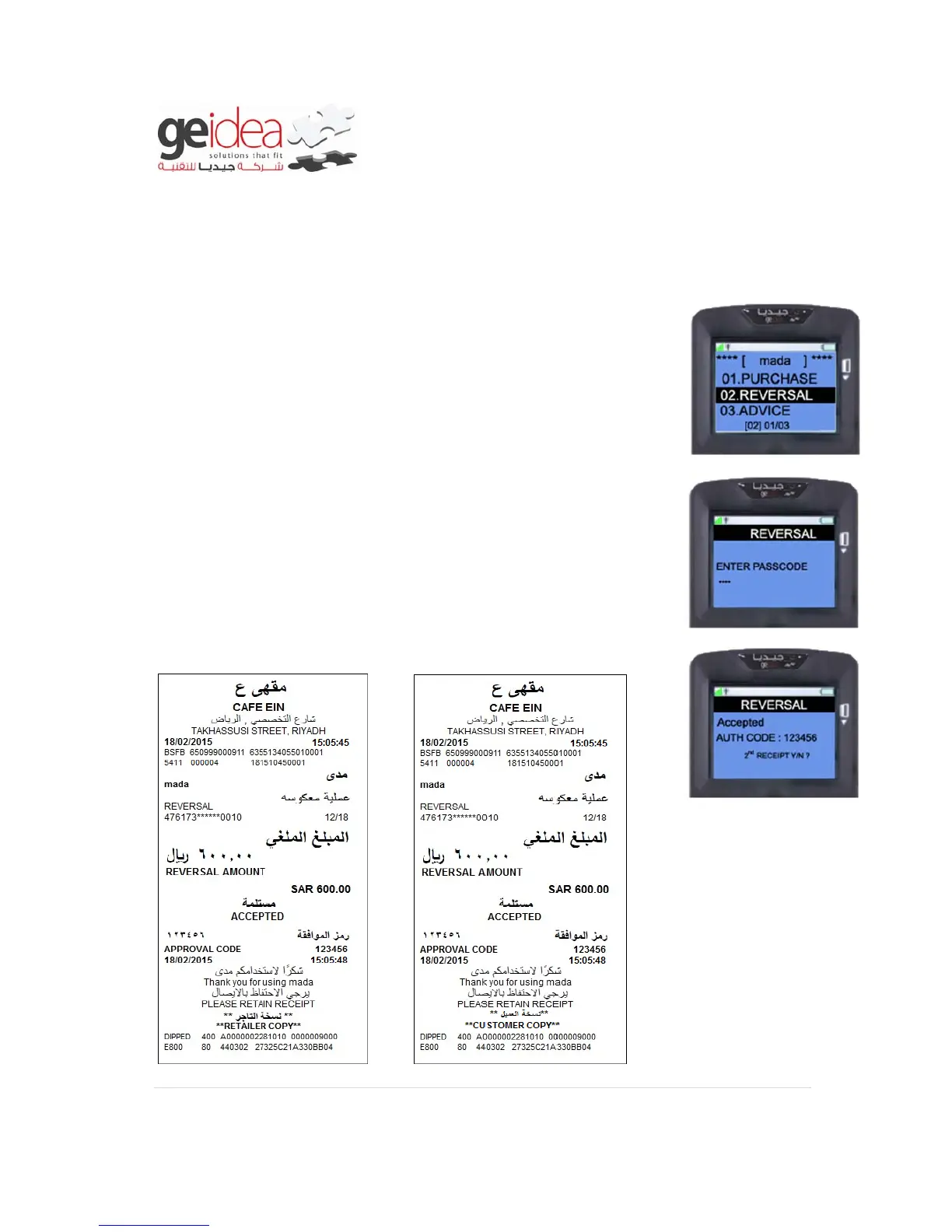
1. Select “REVERSAL” from mada menu.
2. Enter “Merchant Passcode” and then press “ENTER”
Example: 1234
3. Once transaction gets completed, receipt will be printed.
Receipt


 To Next Page