8|PagemadaUserGuidev1.04
PROCEDURE - I
1. Tap the Contactless card over the terminal screen to perform
transaction.
PROCEDURE – II
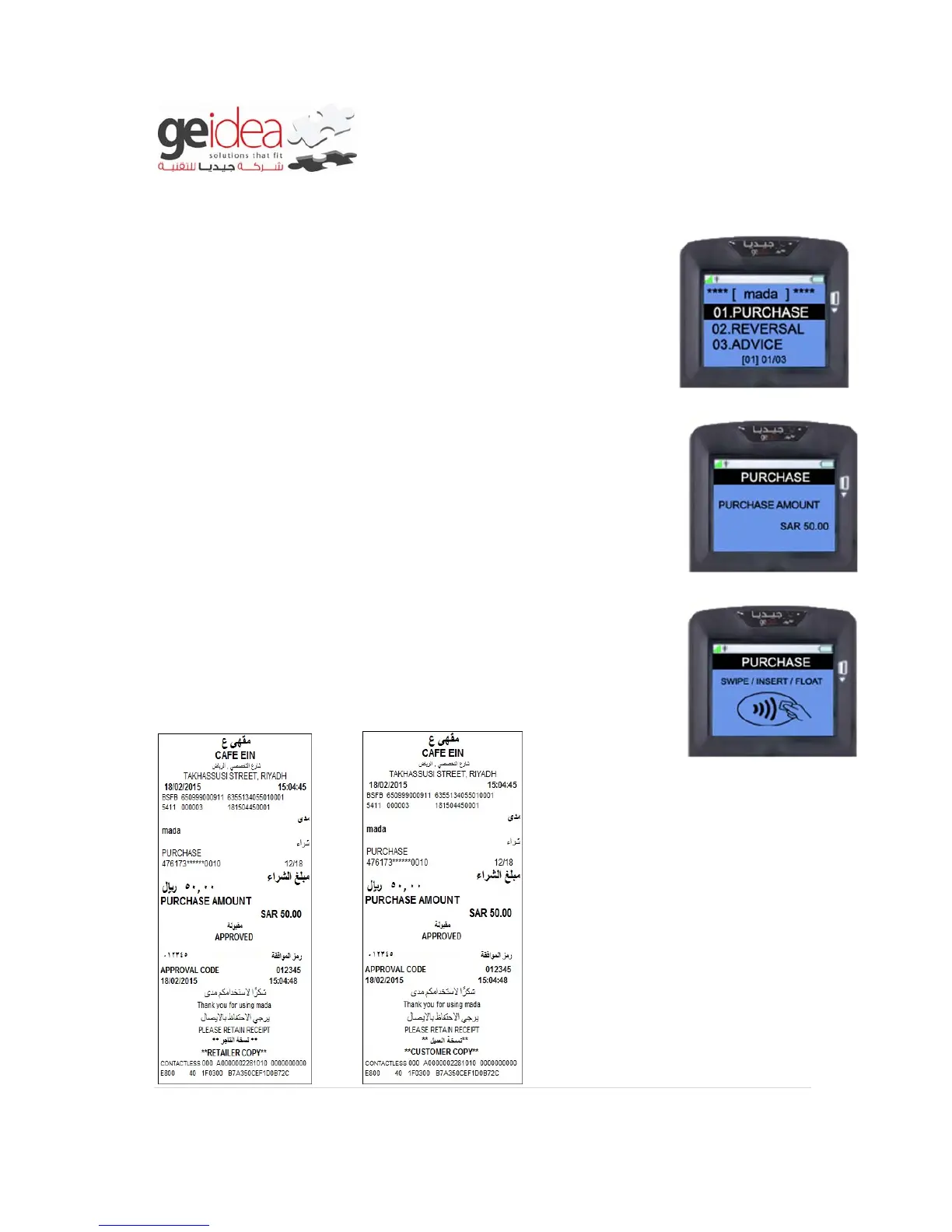
1. Select “PURCHASE” from mada menu and input Purchase
Amount using number key and then Press “ENTER”
Example: SAR 50.00
2. Then Swipe/Insert/Float Card into the Terminal.
Example: mada Card
3. Once the transaction is completed, Terminal will print receipt
for the Transaction.
Receipt


 To Next Page