14|PagemadaUserGuidev1.04
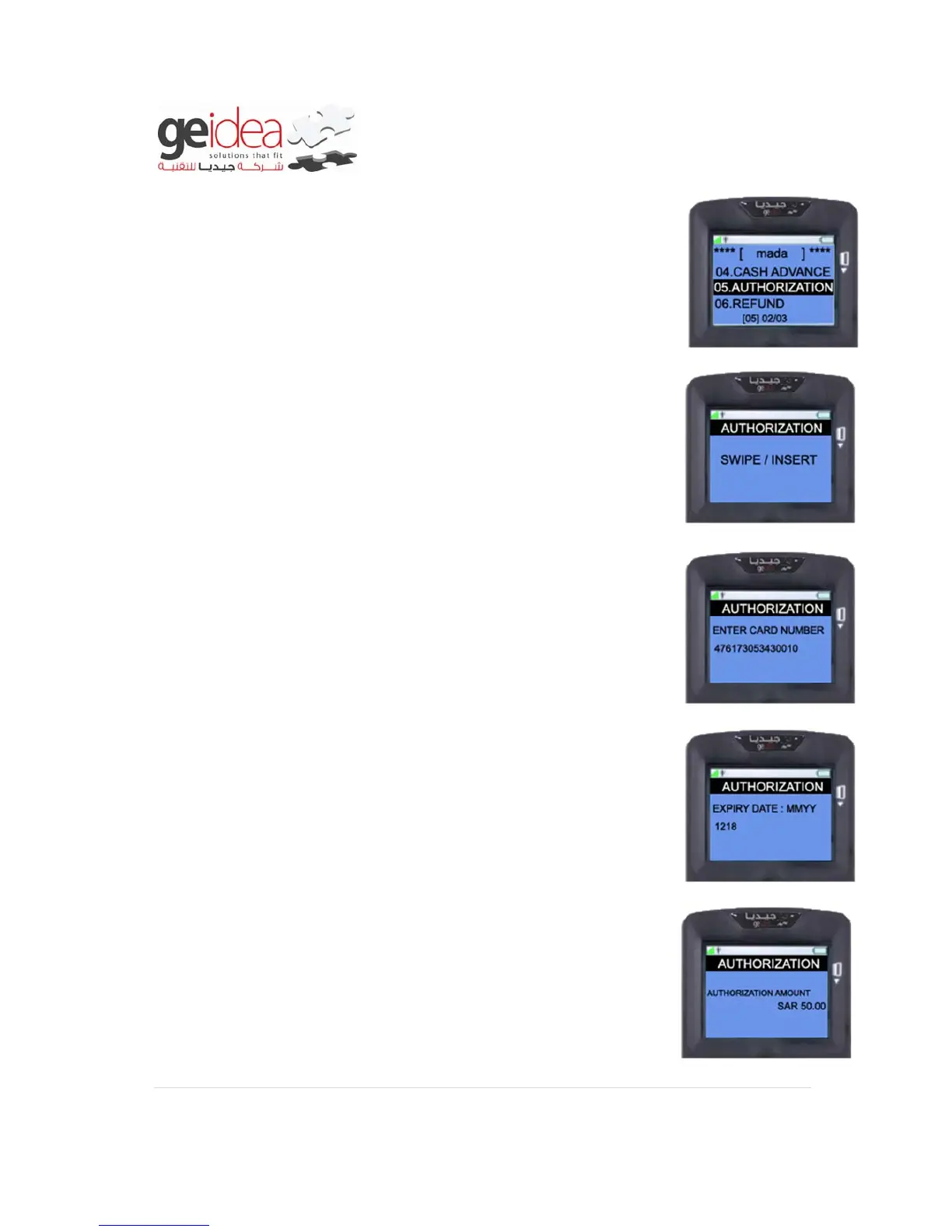
1. Select “AUTHORIZATION” from mada menu.
2. Swipe/Insert customer card into terminal.
Example: VISA card
3. If the Card number is entered manually it will prompt to enter the
customer’s card “EXPIRY DATE” as below but without “/” and
press “ENTER”
Example: 1218
4. Enter Authorization Amount, and then press “ENTER”
Example: SAR 50.00


 To Next Page