16|PagemadaUserGuidev1.04
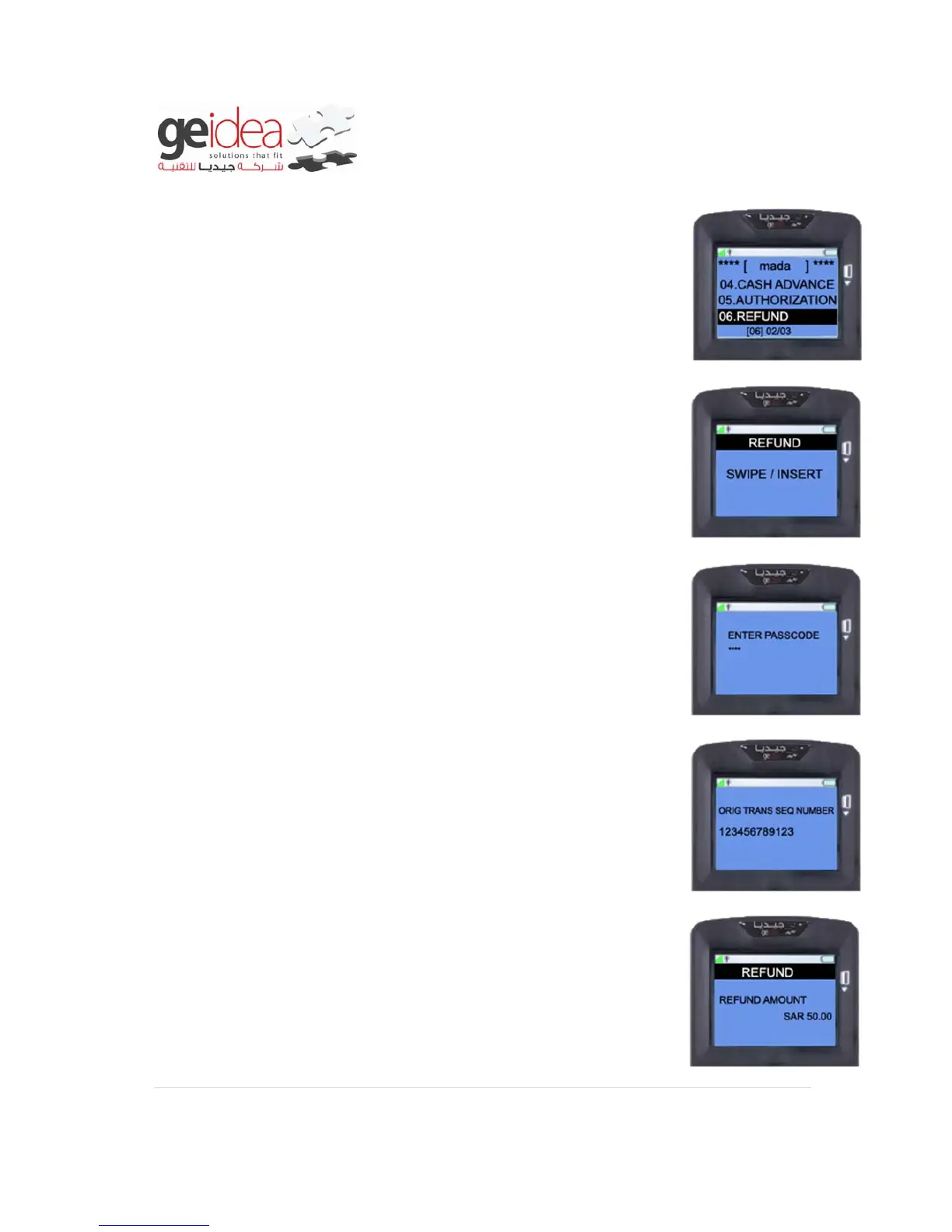
RRN: Number of customer's purchase receipt.
1. Select “REFUND” from mada menu.
2. Swipe/Insert Customer Card into the terminal.
Example: mada card
3. Enter Merchant Password using number keys and then press
ENTER KEY.
Example: 1234
4. Terminal will ask to enter RRN number of previous successful
purchase transaction.
5. Enter “REFUND AMOUNT” using number keys and then press
ENTER key.
Example: SAR50.00


 To Next Page