24|PagemadaUserGuidev1.04
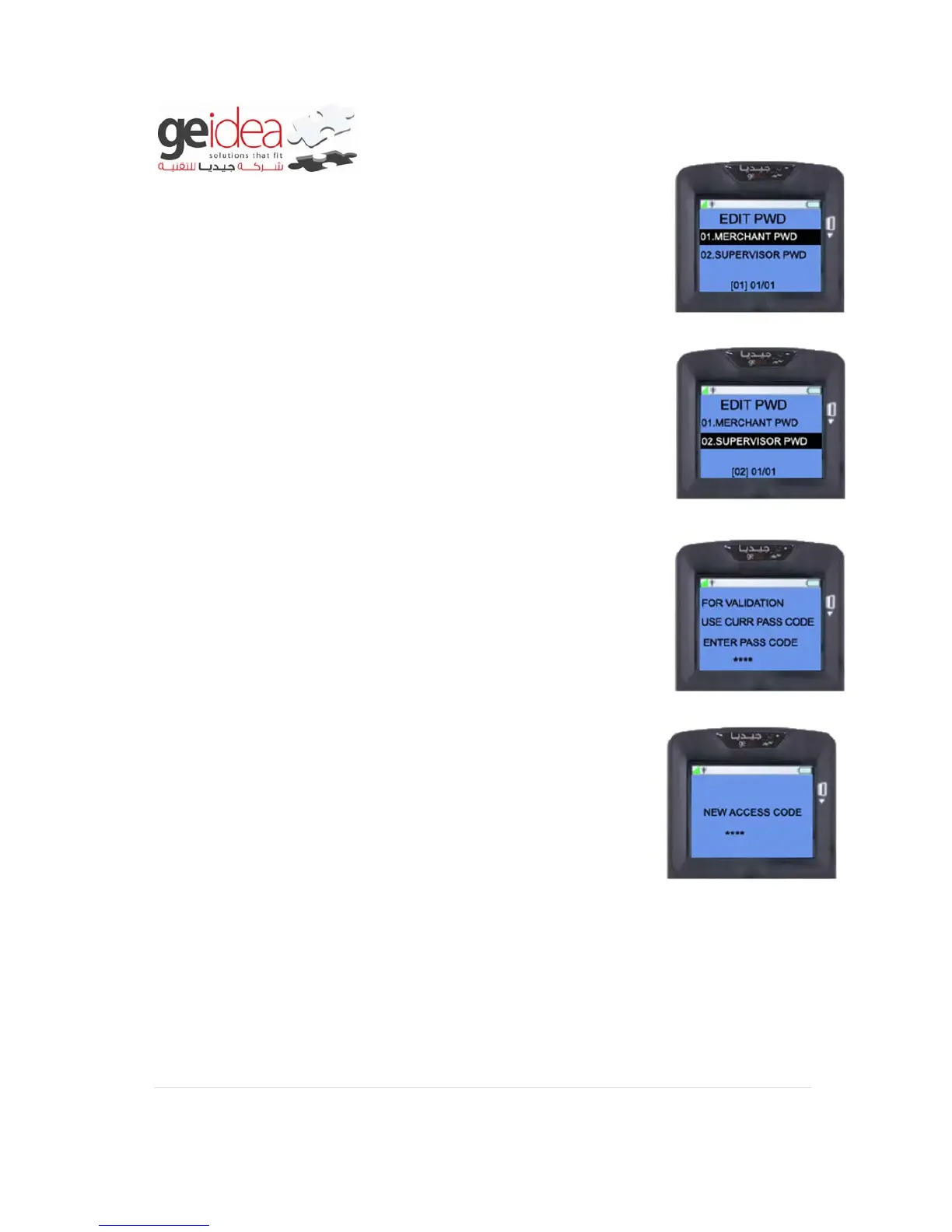
2. Merchant can change default password to his/her own secret
password to access merchant menu.
3. Supervisor password can also change from default to his/her
own secret password to perform reconciliation.
4. Enter OLD password (Current password) using number pad,
then press ENTER KEY.
Example: 1234
5. Enter NEW password using number pad. Then press ENTER
key.
Example: 2222
6. It will display on the screen “Password has been changed” once
get changed.


 To Next Page