6|PagemadaUserGuidev1.04
PROCEDURE - 2
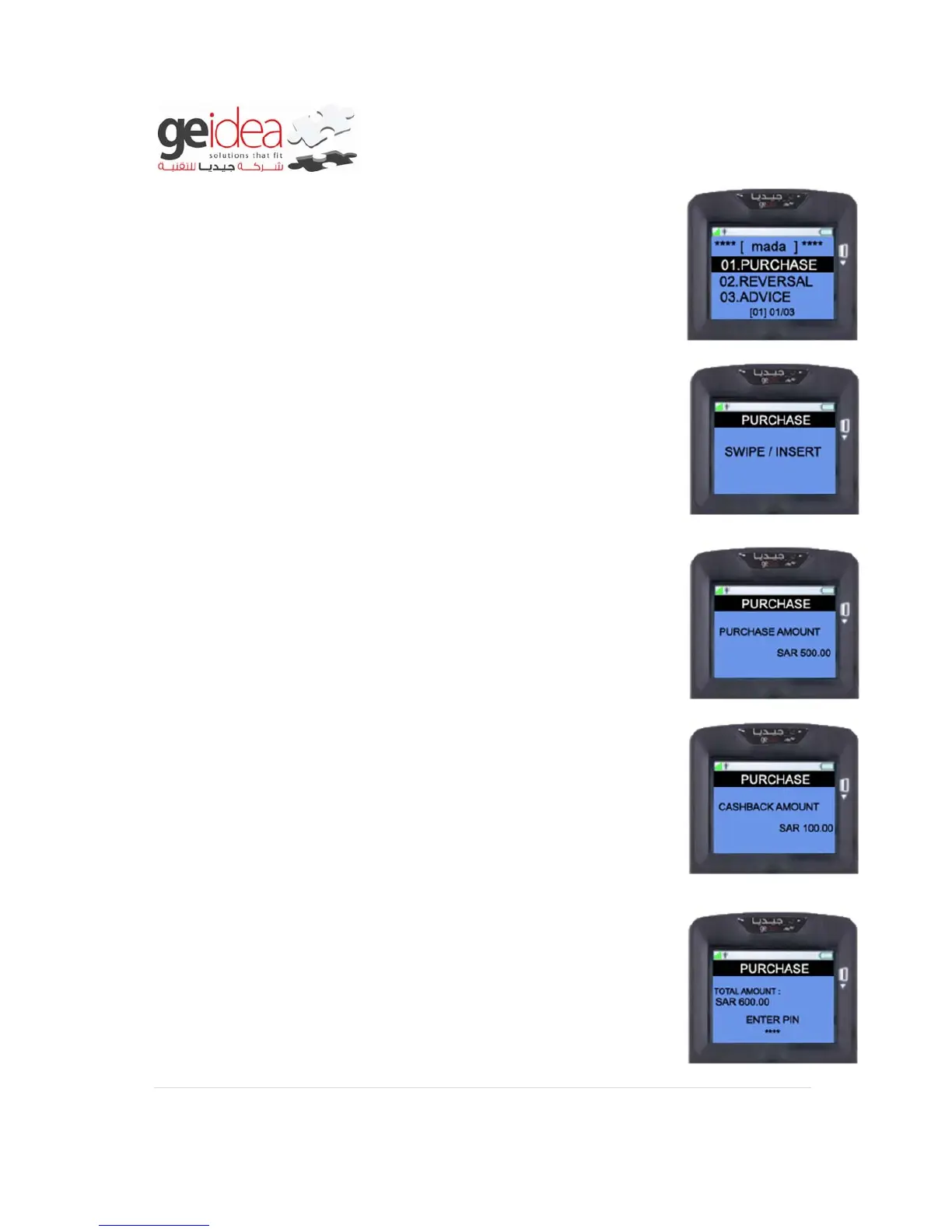
1. Select “PURCHASE” from mada menu.
2. For “PURCHASE WITH CASHBACK” you must “INSERT” the
CARD into the Terminal and note that CARD SWIPE is not
allowed.
Example: mada card
3. Enter the “PURCHASE AMOUNT” and then press
“ENTER”
Example: SAR500.00
4. If Customer needs “CASHBACK” Amount, Enter the
PURCHASE AMOUNT” and press “ENTER” then give the
“CASHBACK AMOUNT”.
Example: SAR100.00
5. At this screen ask customer to enter his/her Secret “PIN
NUMBER” and then Press “ENTER” to complete the
transaction.
Example: 1234


 To Next Page