ENGLISH
81
The following data are displayed:
1) how many days are still there before the next regeneration.
2) how many days have passed from the last regeneration.
3) total number of regenerations carried out.
Press
twice to come back to the programming display.
Press
twice to come back to the programming display 3.
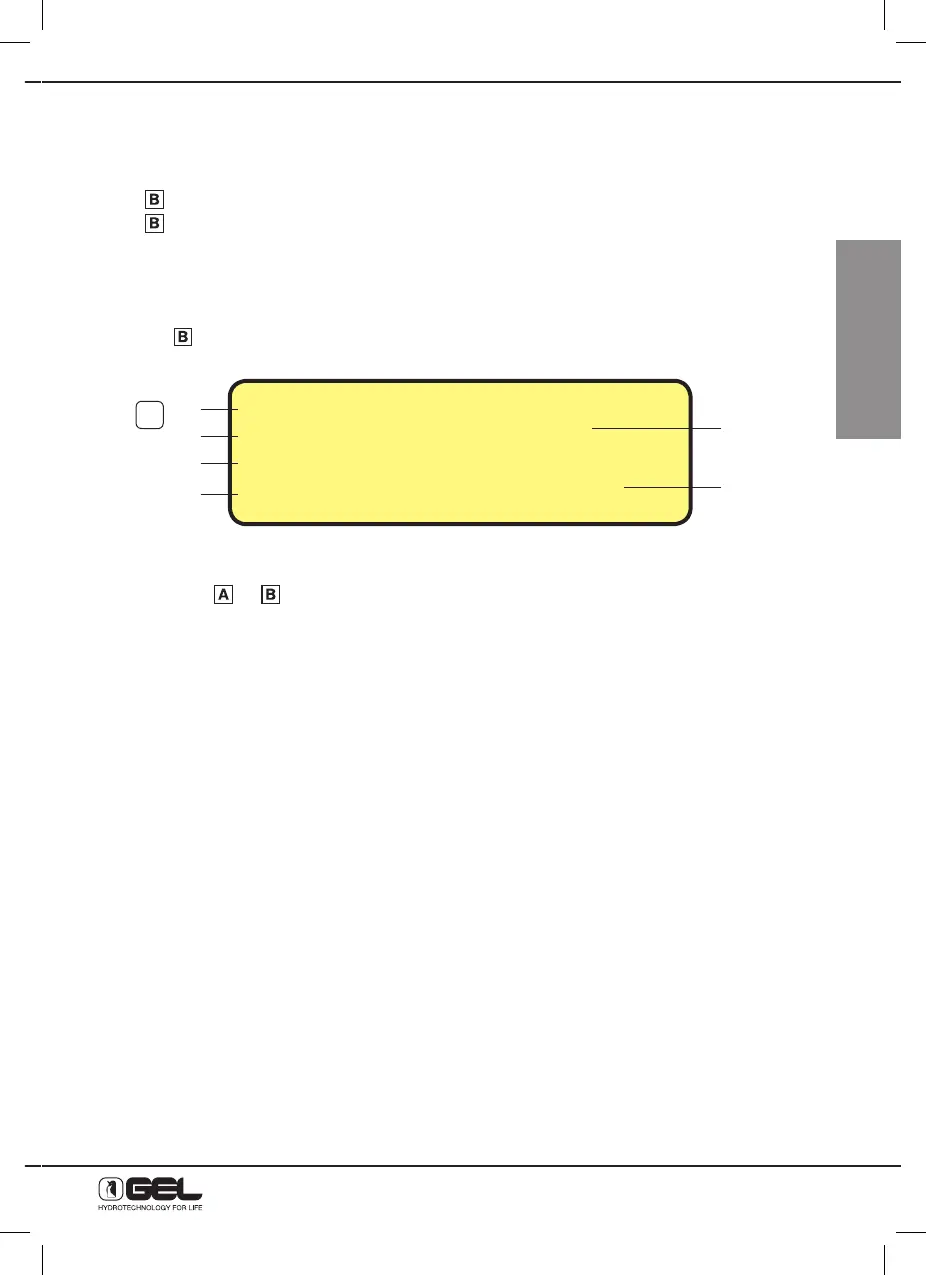
13.16 - HOW TO DISPLAY STANDARD SETTINGS (reserved to Technical Assistance Service)
The ELECTRONIC TIMER VT 2000 allows to display the standard settings programmed.
Press key
, from the regenerations display and the display below will be shown
indicating the standard settings and the softener configuration.
- press keys
or to come back to the main display.
1) Version of microprocessor
2) Monocolumn or master/ slave
3) Litres of resin that can be set or free
4) Ratios impulses per litre/ litre counter
5) Chlorine off/ Electrodes/ Pump
6) Manual/ automatic by-pass
1)
2)
3)
4)
5)
6)
SOFTENER VER_2.6
MONO 30-Lt
i/L = 14/OFF
CHLORINE = OFF BY=Manu
28



 To Next Page