88
15.3 - HOW TO SET REGENERATION TIME AND FREQUENCY
(reserved to Technical Assistance Service)
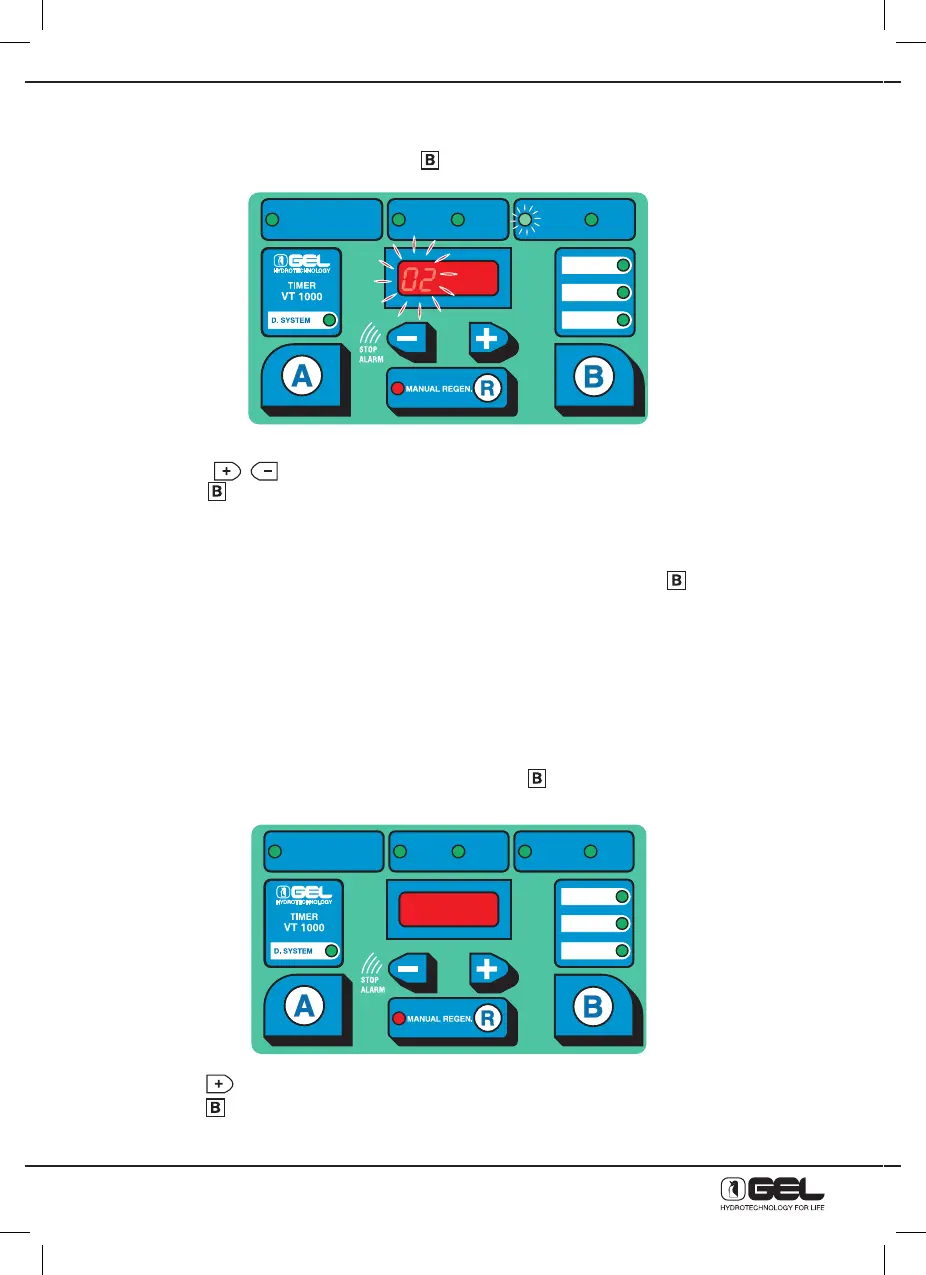
Once time has been adjusted, by pressing key
, the display below will be shown
where the two left figures on display and the green Led indicating the regeneration time will be flashing.
- Press keys
to modify the regeneration time.
- Press key
to confirm the regeneration time.
P.S. During regeneration, the water softener does not supply treated water, therefore set the time when
there is no water consumption (by night for civil use).
Repeat the operation to set the regeneration frequency in days (for potable use it is recommended
max. every 4 days) indicated by the two right figures on display, whilst press key
to confirm.
P.S. For potable use, it is recommended to regenerate max. every 4 days, therefore the regeneration mode
needs to be set at VOLUME/ TIME or at TIME.
- If you have a Timer ET 500, programming is completed.
- If you have a Timer VT 1000, programming carries on with the following step 15.4.
15.4 - HOW TO SET THE WORKING MODE (TIME – VOLUME – VOLUME/ TIME)
(reserved to Technical Assistance Service)
From the frequency of the regeneration days, by pressing key the figures on display will disappear and
the regeneration priority will be flashing. It can be by:
- Time
- Pure volume
- Volume/ time
- Press key
to change the regeneration mode.
- Press key
to confirm the regeneration mode.
At this point the timer programming is completed.
DUREZZA ACQUA
WATER HARDNESS
DURETÉ EAU
ORA
HOUR
HEURE
MINUTI
MINUTES
MINUTES
GIORNI
DAYS
JOURS
WASHING MODE
ORA RIG
HOUR REG
HEURE REG
TIME
SELECT
VOLUME
VOLUME-TIME
DUREZZA ACQUA
WATER HARDNESS
DURETÉ EAU
ORA
HOUR
HEURE
MINUTI
MINUTES
MINUTES
GIORNI
DAYS
JOURS
WASHING MODE
ORA RIG
HOUR REG
HEURE REG
TIME
SELECT
VOLUME
VOLUME-TIME



 To Next Page