ENGLISH
43
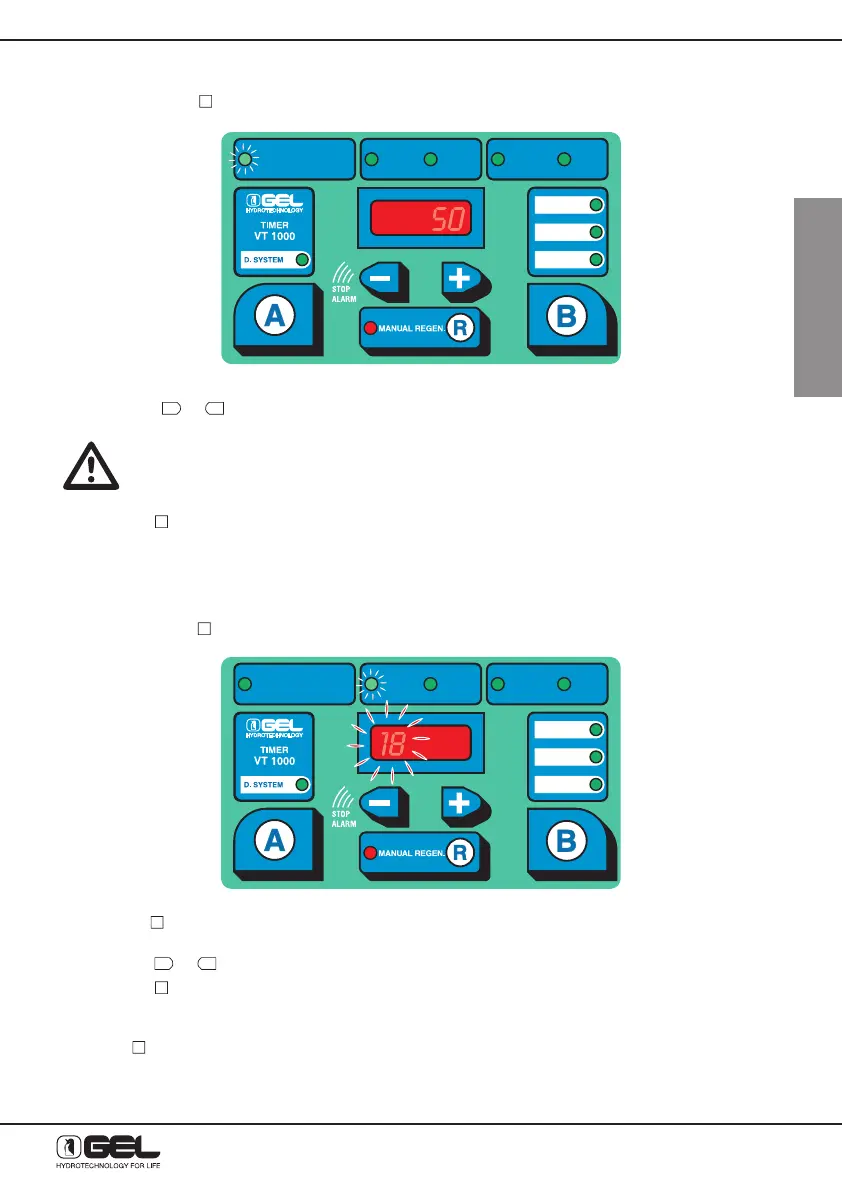
13.1 HOW TO START PROGRAMMING - ADJUSTING OF THE WATER HARDNESS
- By pressing key
, the figures on display and the Led indicator “Water Hardness” will be flashing.
- Press keys
to adjust the water hardness to the desired value.
P.S. The value will have to be modified only by the authorized Technical Assistance
Service at the start up of the unit.
- Press key
to pass to the next function CLOCK.
13.2 HOW TO ADJUST THE CLOCK
- By pressing key
A
, the figures on display and the Led indicator “Water Hardness” will be flashing.
- Press key
to pass to the next function CLOCK (hour); the two left figures on display and the green
Led indicating the clock function (hour) will be flashing.
- Press key
to change hour.
- Press key
to confirm hour.
Repeat the operation to change the minutes indicated by the two right figures on display.
Press key
, to pass to the next function REGENERATION TIME AND FREQUENCY.
DUREZZA ACQUA
WATER HARDNESS
DURETÉ EAU
ORA
HOUR
HEURE
MINUTI
MINUTES
MINUTES
GIORNI
DAYS
JOURS
WASHING MODE
ORA RIG
HOUR REG
HEURE REG
TIME
SELECT
VOLUME
VOLUME-TIME
DUREZZA ACQUA
WATER HARDNESS
DURETÉ EAU
ORA
HOUR
HEURE
MINUTI
MINUTES
MINUTES
GIORNI
DAYS
JOURS
WASHING MODE
ORA RIG
HOUR REG
HEURE REG
TIME
SELECT
VOLUME
VOLUME-TIME



 To Next Page