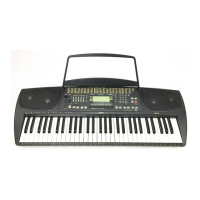
B GK350 Contents
Start the Style with an Intro pattern...................................................................13
Stop the Style with an Ending phrase................................................................13
Fade the Style Volume to zero while playing.....................................................13
Harmony............................................................................................................13
Balancing the Style accompaniment tracks with the Mixer................................14
Muting the Style tracks......................................................................................15
Using the Single Touch Play settings in Style mode..........................................15
Selecting the S.T. Play settings.........................................................................15
Changing the accompaniment Split Point..........................................................16
Digital Effects.....................................................................................................16
The Reverb and Chorus display icons...............................................................16
Selecting the effect types and Level..................................................................16
The Performance buttons and Store Performance............................................17
How to memorize a Performance......................................................................17
Panel Reset - Restore Performance..................................................................18
Floppy Disk (F. DISK)................................................................................19
Save All..............................................................................................................19
Load All..............................................................................................................20
Playing Midi Files directly from disk...................................................................20
Preselect the next MidiFile................................................................................21
Melody Off.........................................................................................................21
Saving GK350 data to the Midi File data disk....................................................21
Loading GK350 Memory data from a data disk containing Midi Files...............21
The Sequencer...........................................................................................22
Listen to the playback of a recorded Song........................................................22
Record a new song............................................................................................23
Panel Reset - Restore Sequencer.....................................................................23
The Metronome.................................................................................................23
The Beat function..............................................................................................23
The GK350 Utility functions.....................................................................24
Transpose..........................................................................................................24
Tune...................................................................................................................24
Pan....................................................................................................................24
MIDI.............................................................................................................25
Midi channel selection.......................................................................................25
Control Change filter..........................................................................................25
Specifications............................................................................................26
Music Stand.......................................................................................................26
Index...........................................................................................................27
Appendix
Appendix A: One Finger Chords table.............................................................A.2
Appendix B: Fingered Chords table 1..............................................................A.3
Appendix B: Fingered Chords table 2..............................................................A.4
GK350 Sounds table.......................................................................................A.5
GK350 Styles table..........................................................................................A.6
GK350 Performance table...............................................................................A.6
GK350 Digital Effects table..............................................................................A.6


 To Next Page