9
OPERATION
1. NiMH Battery Usage and Alkaline
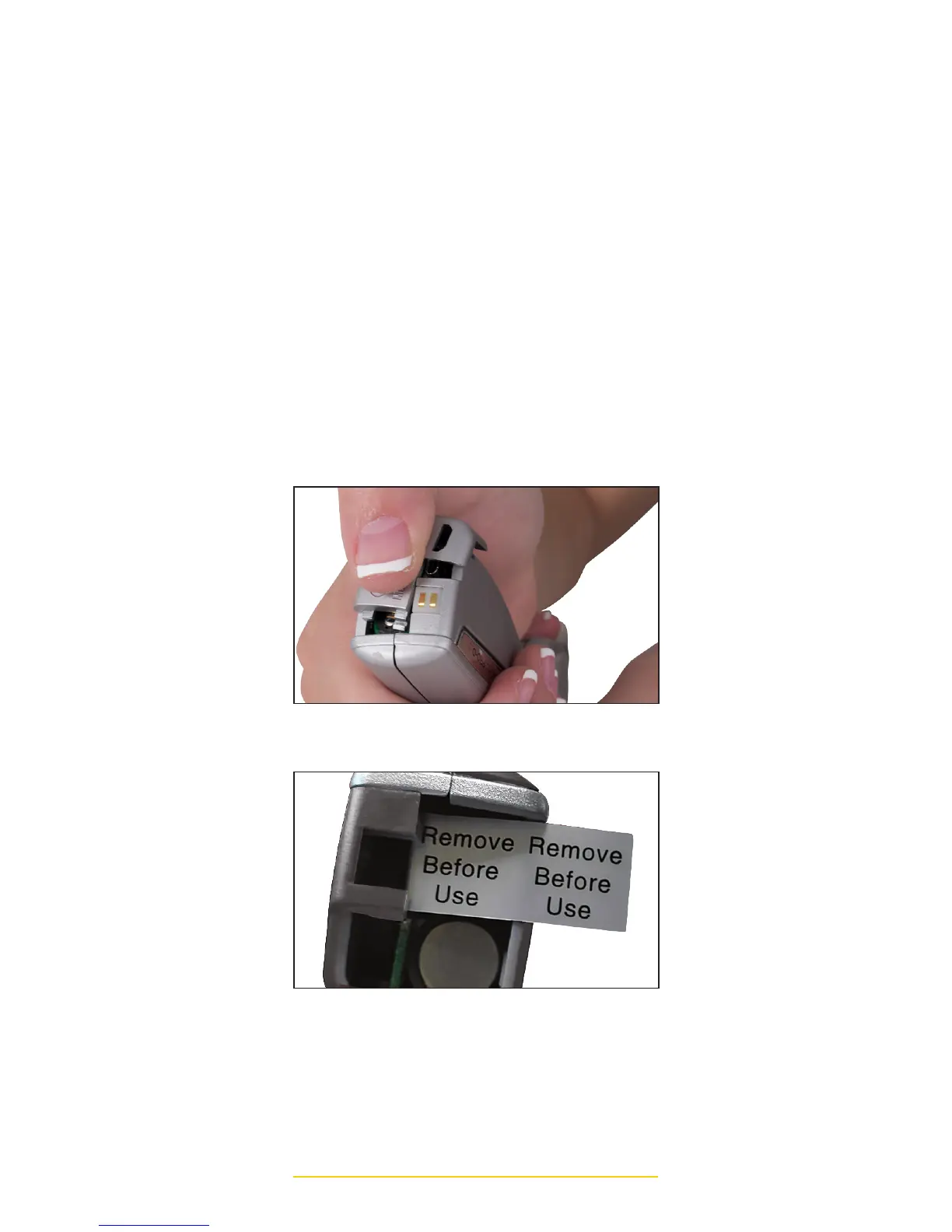
Battery Installation: Remove the
battery compartment door located on
the end of the PRO-D 3 by using your
thumb to slide the textured area down
and in the direction of the arrow. To
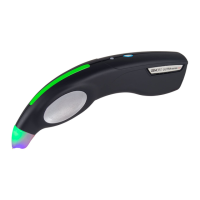
activate the (3) NiMH rechargeable
batteries, REMOVE THE (2) BLACK
BATTERY DISCHARGE INSULATOR
TABS located at the end of each
battery and then carefully replace
the battery compartment door
(see image). To increase the life of
the NiMH rechargeable batteries,
after removing the discharge insulator
tabs in the battery compartment, fully
charge the batteries prior to use.
TESTER BATTERY COMPARTMENT
BATTERY DISCHARGE INSULATOR TAB



 To Next Page