Need help?
Do you have a question about the GemOro AuRACLE PRO and is the answer not in the manual?
Steps to turn on the AuRACLE PRO tester after installation.
Guide to calibrating the tester using an 18K gold sample.
Instructions for testing gold and platinum jewelry with the device.
Mode showing karat value, percentage, and bar graph for detailed analysis.
Default mode showing karat value, similar to Enhanced but without percentage.
Procedure for turning off the AuRACLE PRO tester.
Instructions for installing batteries or AC adapter for power.
Step-by-step guide for powering the device on and off.
How the device indicates a low battery level.
Explanation of the different testing modes available on the tester.
Details on using the Power/Mode and CAL buttons for control.
Process for calibrating the pen probe for accurate testing.
Solutions for common issues and general usage advice.
Instructions for cleaning the pen probe and testing plate.
Guidance on preparing metal samples and cleaning the file.
Troubleshooting when the tester shows no reaction.
Troubleshooting tips for high test result readings.
How to test tungsten and stainless steel with the device.
Testing rhodium-plated items and its effect on readings.
How palladium affects gold test results.
Factors affecting white gold karat readings.
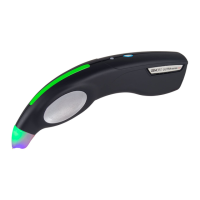
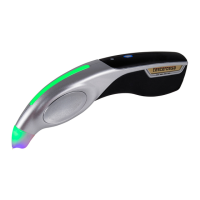
The GEMORO AuRACLE® PRO is an advanced digital gold and platinum tester designed for the jewelry industry, offering a reliable and accurate method for determining the karat value of gold and the presence of platinum. This device utilizes patented AuRACLE technology to provide comprehensive testing capabilities in a compact and portable design.
The primary function of the AuRACLE PRO is to test the authenticity and karat value of gold and platinum. It can test all colors of gold from 8K to 24K (specifically 8K, 10K, 14K, 18K, 22K, and 24K), as well as platinum, with improved accuracy, particularly for high-karat gold. The device employs a pen probe and a testing plate to conduct electrochemical tests on jewelry pieces. Users file a small area on the item to expose the base metal, place it on the testing plate, and then touch the pen probe to the filed area. The device then analyzes the metal and displays the karat value, "Platinum," or "Not Gold" on its backlit LCD display.
The AuRACLE PRO features two testing modes: Standard Mode and Enhanced Mode. The Standard Mode is the factory default and provides essential information about the karat value. The Enhanced Mode offers more detailed information, including the gold karat percentage and an innovative bar graph that visually indicates where the gold falls within its karat range (e.g., low, middle, or high within a 14K range). This dual-mode functionality allows users to choose the level of detail most suitable for their needs.
The device is also capable of identifying non-gold, gold-plated, and gold-filled items as "NOT GOLD," ensuring that only genuine precious metals are accurately identified. Its surface testing nature requires filing the metal to expose the base layer, preventing false readings from plated items.
The AuRACLE PRO is designed for ease of operation with a smart two-button control panel. The "MODE" button serves to power the unit on and off, as well as to toggle between the Standard and Enhanced testing modes. A short press switches modes, while a press and hold for more than two seconds initiates a 5-second countdown for power-off. The "CAL" button is dedicated to initiating the calibration process.
Calibration is a crucial step before testing and is performed using an 18K yellow gold sample. The process involves pressing the CAL button, placing the 18K gold sample (preferably filed) on the testing plate, and touching the pen probe to the filed area. The display will indicate "Success!" upon completion. This process may need to be repeated one to two times to ensure accurate calibration. The device is calibrated specifically for yellow gold, and while it can test white gold, inconsistencies in alloys may cause white gold to test slightly lower than its marked value.
The device can be powered by either a 9V alkaline battery or a multi-voltage 100V-240V AC adapter. When the AC adapter is connected, it automatically powers the unit, preserving battery life. An auto-off feature is included when using battery power, turning the unit off after 10 minutes of inactivity to conserve energy. A low battery indicator, a flashing "B" on the display, alerts users when a new battery is needed to maintain testing accuracy.
The AuRACLE PRO's sleek, contoured, and ergonomic design makes it compact and portable, suitable for various work environments. It includes a built-in storage compartment for the pen probe, ensuring that the probe is protected and readily accessible. The large, easy-to-read LCD display enhances user experience by clearly presenting test results and operational messages. A data port connector is also available for future software updates and peripherals, indicating the device's expandability.
Proper maintenance is essential for the longevity and accuracy of the AuRACLE PRO, particularly concerning the pen probe. The pen probe contains a special saline solution, and its chemistry can change over time due to exposure to gold, other metals, contaminants, the environment, and dirt. Regular recalibration is recommended to adjust the tester to the pen probe's current chemistry.
Cleaning the pen probe's felt tip is vital. Users should wipe off any excess solution with a dry paper towel before calibration and periodically clean the felt tip with a dry paper towel to remove gold particle filings and other metal particles that may accumulate during testing. This prevents contamination and ensures consistent results. Salt crystal buildup, a natural occurrence, should also be dabbed off with a clean, dry paper towel. It is crucial not to expose the pen probe's felt tip to water or other chemicals.
After each use, the pen probe cap must be replaced until it snaps on to prevent the felt tip from drying out. Failure to do so can lead to the probe drying out and becoming unusable, which is not covered under warranty. If the pen probe becomes excessively worn, overly dirty, or consistently delivers erratic readings, it may be defective or spent and should be replaced with a "GOLD LABEL" AuRACLE PRO replacement pen probe (Item #2018), as probes are not interchangeable.
The testing plate and the 18K yellow gold calibration piece should also be wiped clean of any salt crystal buildup. While the pen probe solution may leave a stain on the testing plate if not wiped off immediately, this staining does not affect the accuracy of the device.
For accurate testing, all metal items should be filed before testing to expose the base metal. This is especially important for gold-plated or gold-filled items, which could otherwise test as solid gold. The jeweler's file included with the device should be wiped clean after each use to prevent contamination from metal particles spreading to subsequent items.
The AuRACLE PRO also features auto-check functions for pen probe and battery usage life percentage, providing users with insights into the operational status of these critical components. Disassembling the unit beyond opening the battery compartment will void the warranty, emphasizing the importance of proper handling and authorized service.
 General
| Model | AuRACLE PRO |
|---|---|
| Testing Method | Electrical Conductivity |
| Karat Range (Gold) | 6K to 24K |
| Display | LCD |
| Type | Gold Tester |
| Metals Tested | Gold, Platinum |
| Power Source | Battery |
| Operating Temperature | 15°C to 32°C |
| Storage Temperature | -10°C to 50°C |
| Humidity | 0% to 90% non-condensing |


 To Next Page