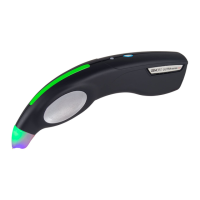
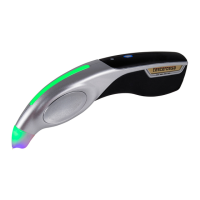
GEMORO AuRACLE
®
PRO
Digital Gold & Platinum Tester
. LOW BATTERY INDICATION
When the battery power drops to a low level, a “B” will start flashing
on the upper right side of the display indicating that a new battery
should quickly be inserted to ensure maximum testing accuracy.
. MODES OF OPERATION
The AuRACLE PRO has two testing modes of operation that
are described below. Press the Power/ Mode button to toggle
between these modes: Standard Mode and Enhanced Mode.
ENHANCED MODE
This mode provides the most information for users, while indicating karat
values in 8K, 10K, 14K, 18K, 22K, and 24K, as well as platinum. It shows the
gold karat percentage, along with an innovative new feature at the bottom of
the display, a bar graph that shows you where in the karat range the gold falls.
(Example: if it is in the low, middle, or high karat value within the 14K range).
STANDARD MODE
This is the factory default mode, which gives the same information as
the Enhanced Mode, but without showing the percentage feature.
SMART TWO BUTTON CONTROL FUNCTIONS
Power/Mode Button (Le) Pressing this button will toggle between
the two operating modes, Standard Mode, and Enhanced Mode.
Pressing this button for more than two seconds will initiate the
unit’s 5 second shut down timer. Pressing any key before the timer
reaches zero will return the AuRACLE PRO to normal operation.
CAL BUTTON (Right) By pressing this button the pen probe calibration process
will be initiated. The AuRACLE PRO must be calibrated with an 18K yellow
gold sample. Only yellow gold may be used to calibrate this instrument.
PEN PROBE CALIBRATION Before using the AuRACLE PRO, it must be
calibrated to the pen probe being used. It is important to recognize that the
chemistry in each pen probe is slightly dierent and that it is constantly
changing over time as it is exposed to gold and other metals, contaminants, the
environment, and dirt. As the chemistry in the pen probe changes it may become
necessary to recalibrate the AuRACLE PRO to the pen probe’s chemistry at that
time, which is simple to do. You must use an 18K yellow gold sample to calibrate
the tester, and we recommend that the gold calibration piece be filed just prior
to doing so. A short press of the CAL button will initiate the calibration process.
The calibration process can be performed in either operating mode at any time
and will return to that mode once complete. When initiated, a countdown timer
will appear on the lower line of the LCD display. Place the gold you are using to
calibrate the AuRACLE PRO on the testing plate with the filed area facing up.
Steadily touch the end of the pen probe’s felt tip to the filed area on the gold
and once the process has been completed the LCD display will read “Success!”.



 To Next Page