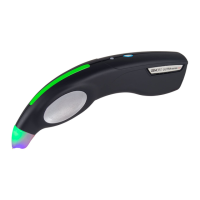
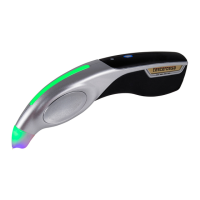
GEMORO AuRACLE
®
PRO
Digital Gold & Platinum Tester
GEMORO AuRACLE PRO
Digital Gold & Platinum Tester
QUICK OPERATION GUIDE
Congratulations on your purchase of the advanced AuRACLE PRO digital
gold and platinum tester from GEMORO Superior Instruments, the most
trusted name in testing instrumentation for the jewelry industry.
The following is your testers QUICK OPERATION GUIDE. For
more detailed information on its use, please scan the QR
code or click here to see the INSTRUCTIONAL VIDEO:
STEP 1: POWER ON
Aer the AC adapter and/or batteries are installed, and
the pen probe is fully plugged into the unit, turn the AuRACLE PRO on by
pushing the MODE button. The LCD display will then show “Ready”.
STEP 2: CALIBRATION PROCEDURE
Remove the pen probe cap and wipe any excess solution o the felt tip
with a dry paper towel. Press the CAL button and the display will show
“Touch pen to 18K sample”. File a piece of 18K YELLOW GOLD and place
it on the testing plate, and then touch the pen probe to the filed area. The
display will then quickly show “Success!” when the calibration process has
been completed. Note that this process may need to be repeated 1-2
times. The AuRACLE PRO will then be calibrated and ready to test.
STEP 3: TESTING GOLD AND PLATINUM
• For best results, it is recommended to file a small area on
the surface of the jewelry being tested, and then rest it
on the testing plate with the filed area facing up.
• Touch and hold the pen probe to the filed area until the LCD display
quickly settles on a karat value, Platinum, or Not Gold. It is recommended
to hold the jewelry on the testing plate to stabilize it, and to make
good contact with the pen probe and the metal being tested.
• There are 2 testing modes on the AuRACLE PRO, the
STANDARD MODE and ENHANCED MODE. You can toggle
between each mode by pressing the MODE button.
• ENHANCED MODE - This mode provides the most information for
users, while indicating karat values in 8K, 10K, 14K, 18K, 22K, and 24K,
as well as platinum. It shows the gold karat percentage, along with
an innovative new feature at the bottom of the display, a bar graph
that shows you where in the karat range the gold falls. (Example: if
it is in the low, middle, or high karat value within the 14K range).
• STARDARD MODE - This is the factory set default mode,
which gives the same information as the ENHANCED



 To Next Page