GenadyneBiotechnologies|EN(V5.0909.1) 17
Enable/Disable
The XLR8 provides the option for the user to enable or disable which alarm notifications they want to
have turned on.
To Enable / Disable the Alarm
1. Press Menu/Select button, use the Up/Down button to navigate to Alarm Setup, press the
Menu/Select button again to enter into the Alarm Setup function.
2. Press Menu/Select button to select the Enable/Disable function.
3.
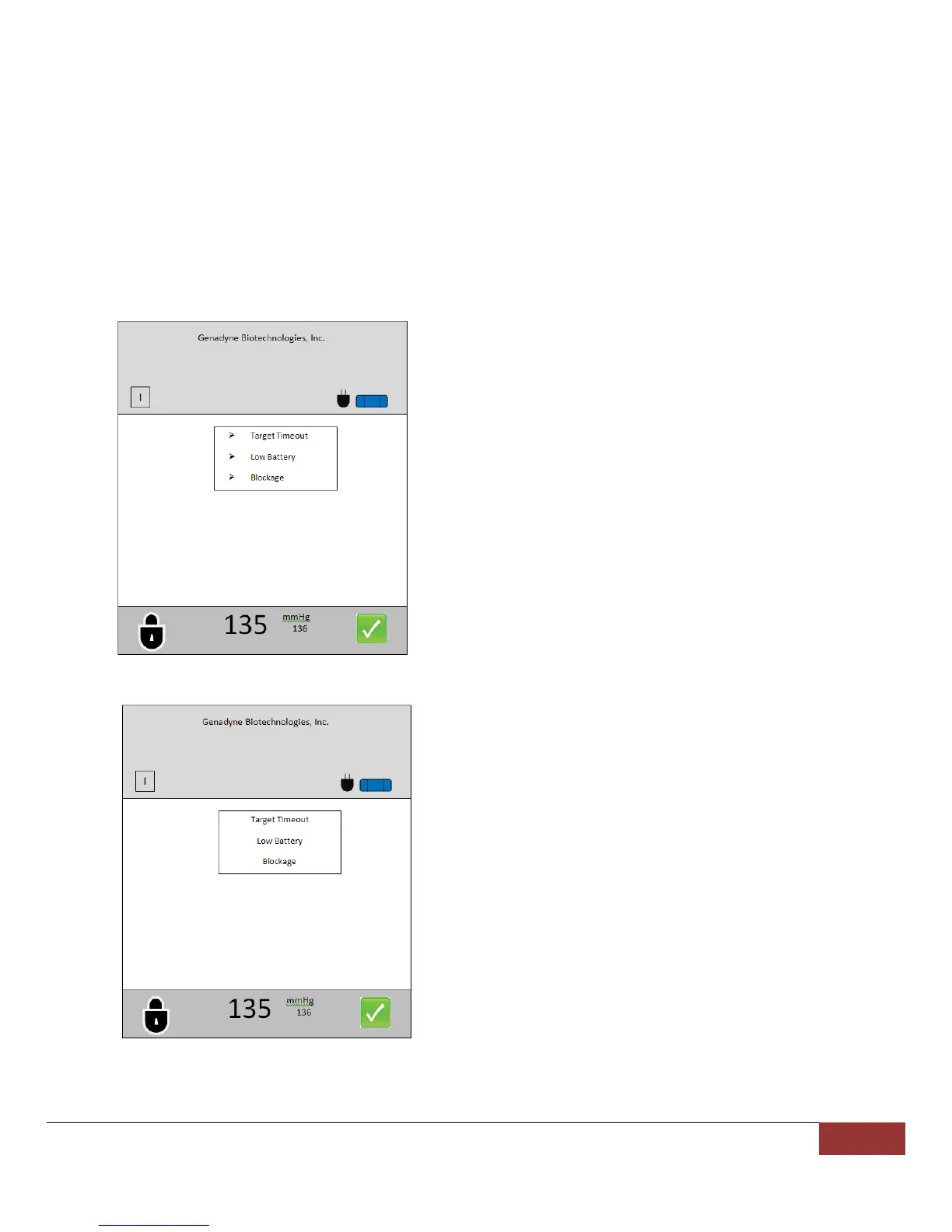
Arrows on the side means enabled.
To select the desired alarm, navigate to the
desired alarm and press the Menu/Select
button once. The arrow will appear on the
side.
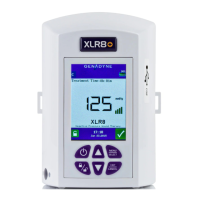
Disabled (No arrows).
To disable the alarms, navigate to the desired
alarm and press Menu/Select once to have the
arrow disappear.
4. To exit to the main screen, press and hold the Exit/Cancel button for 5 seconds.


 To Next Page