EasyManua.ls Logo

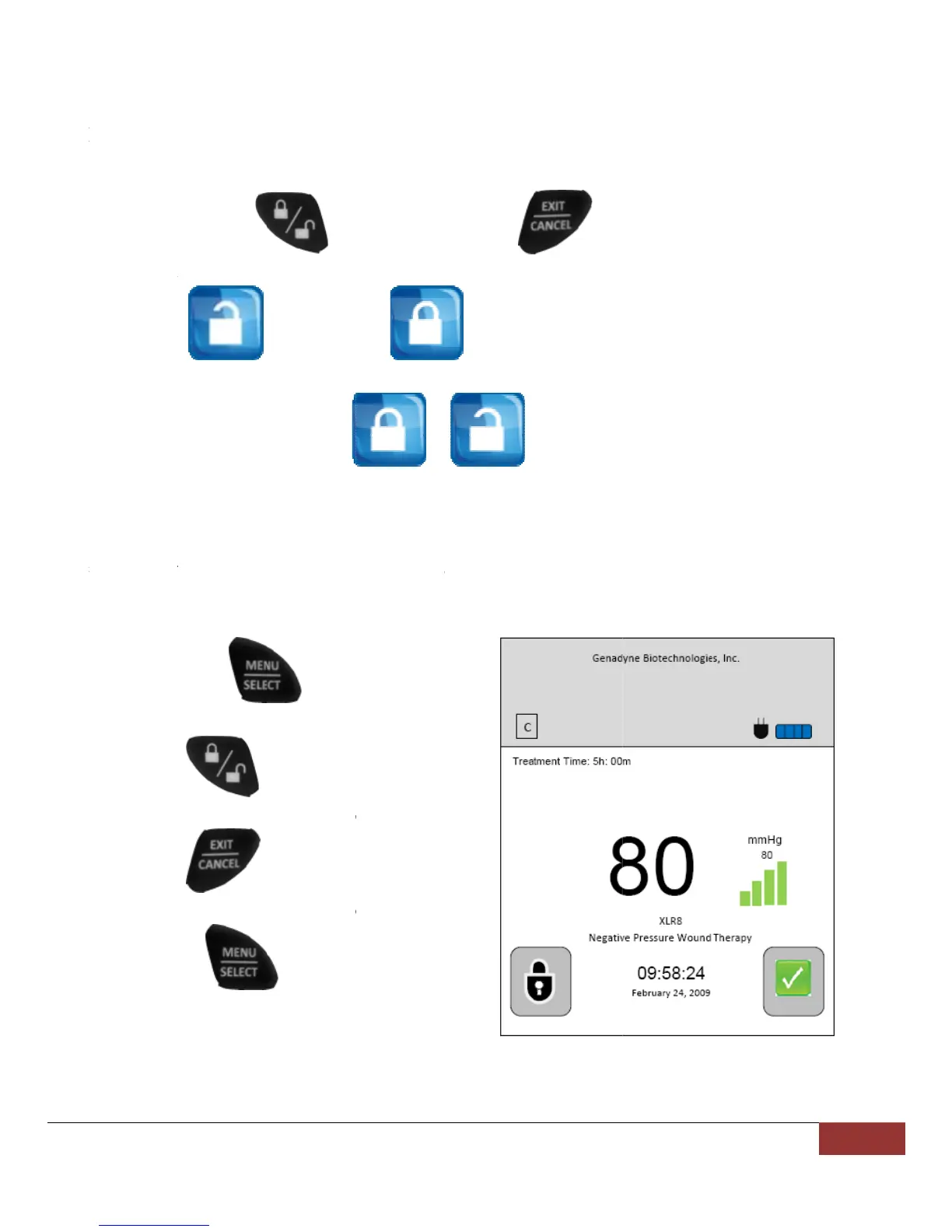
Genadyne XLR8 - Advanced Features; Keypad Lock and Unlock Procedure; Clearing the Alarm Log

Genadyne XLR8
30 pages
Print Icon
To Next Page IconTo Next Page
To Previous Page IconTo Previous Page
Loading...
Ad
v
Loc
k
To l
o
1
2
3
4
Ala
r
To
c
1
2
3
4
v
anceFe
a
k
/Unloc
k
o
ck the key
p
1
. Press an
d
7 secon
d
2
. When th
e
3
. To unlo
c
4
. The icon
r
mLogCl
e
c
lear the ala
r
1
. Press an
d
button.
2
. Press th
e
release
w
3
. Press th
e
release
w
4
. Release
t
button.
a
ture(Re
m
k
Keypad
p
a
d
d
hold the
d
s.
e
c
k the keypa
d
will then c
h
e
aring
r
m log, the
u
d
hold
e
(
w
hile holdin
g
e
(
w
hile holdin
g
t
he
m
ovable
)
(lo
c
icon chang
e
d
, repeat ste
p
h
ange from
u
ser needs to
(menu
(
lock / unlo
c
g
onto num
b
exit / cance
l
g
onto num
b
(menu / s
e
)
c
k / unlock)
e
s to
p
1 above.
to
go to the m
a
/ select)
c
k) and
b
er 1.
l
) and
b
er 1.
e
lect)
Gen
a
button +
, the key
p
.
a
in screen.
a
dyneBiotec
h
(exi
t
p
ad is locke
d
h
nologies|E
t
/ cancel) b
u
d
.
N(V5.0909.
1
u
tton for ap
p
1
) 29
p
roximately

Related product manuals