EasyManua.ls Logo

Generac Mobile G4-ECO - User Manual

Generac Mobile G4-ECO
44 pages
Print Icon
To Next Page IconTo Next Page
Loading...
SAVE THIS MANUAL FOR FUTURE REFERENCE
Register your Generac product at:
WWW.GENERAC.COM
1-888-GENERAC
(1-888-436-3722)
Owner’s Manual
For
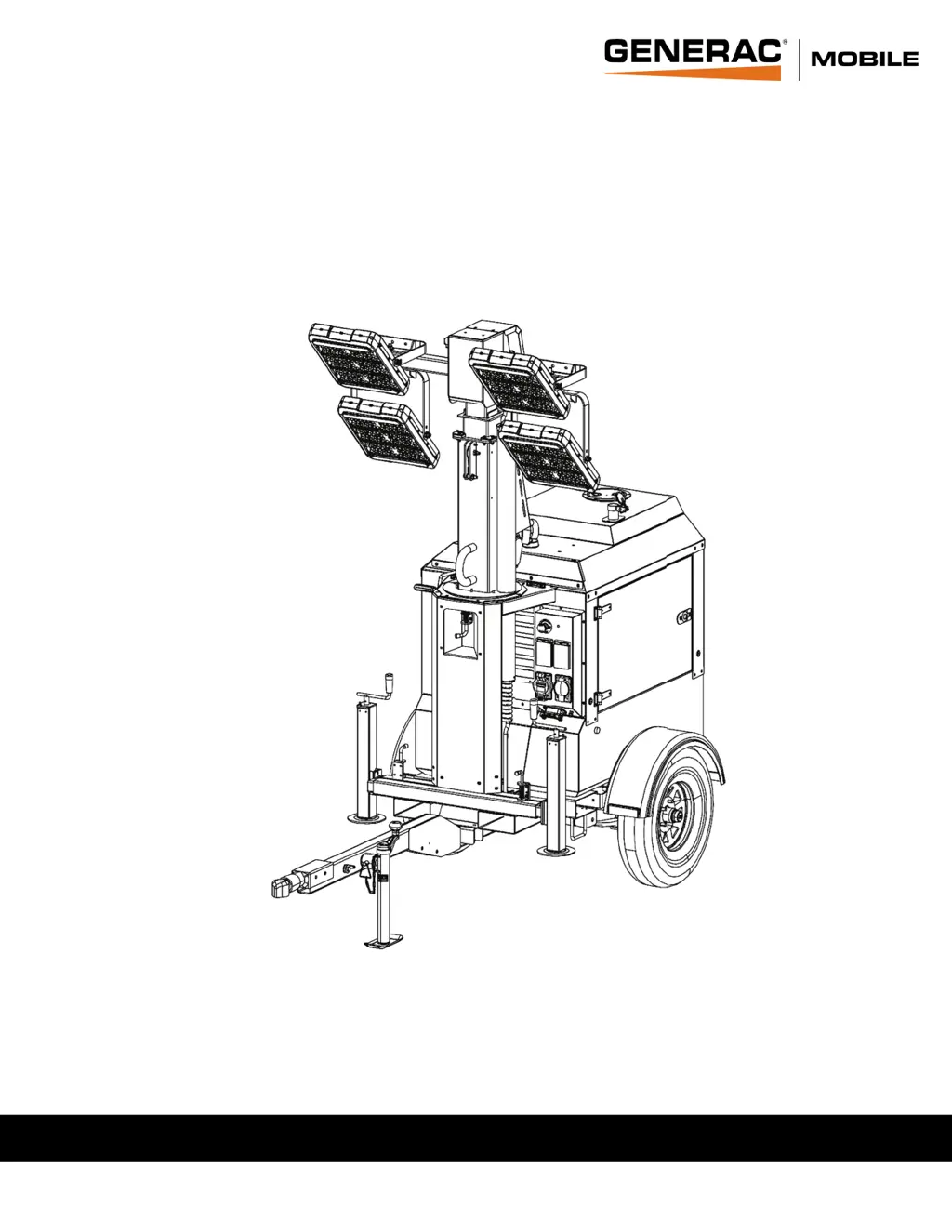
G4-ECO Light Tower
010827
For technical assistance contact:
www.generacmobileproducts.com
Technical Support
1-800-926-9768

Table of Contents

Questions and Answers

  • P
    Patrick LopezAug 4, 2025
    How to troubleshoot a Generac Mobile Lighting Equipment that cranks but won't start?
    • J
      Jesse HallAug 4, 2025
      If your Generac Mobile Lighting Equipment unit cranks but doesn't start, several factors could be at play. First, make sure that the fuel tank has enough fuel. Next, check the air filter for any obstructions. Also, examine the fuel supply hose, from the tank to the fuel filter, for any cracks or wear. If it's cold, check for gelled fuel, especially at the fuel filter. Verify the fuel pump is working correctly, and purge any air from the fuel system. For glow plug issues, consult the engine operator's manual.
  • M
    Mark HowardAug 14, 2025
    What to do if Generac Mobile G4-ECO starts, but stumbles and dies?
    • M
      marybradfordAug 14, 2025
      If your Generac Mobile Lighting Equipment starts, but then stumbles and dies, begin by checking if the ambient temperature is within the unit's operational limits. Next, inspect the engine air inlet heater to ensure it's working correctly. Finally, purge any air that may be trapped in the fuel lines.
  • R
    Robert Chandler DDSAug 23, 2025
    Why does my Generac Mobile G4-ECO have a high coolant temperature shutdown?
    • K
      Kathryn GarciaAug 23, 2025
      If your Generac Mobile Lighting Equipment experiences a high coolant temperature shutdown, first allow the engine to cool down. Then, check the coolant level in the radiator and add coolant if needed. Inspect the radiator shroud and ducting for any blockages, removing any obstructions you find. Also, look for visible leaks and check the tension of the water pump drive belt. Regarding a broken coolant pump belt, it is advised to contact a GMP ASD to replace it. If the cooling fan is inoperable, remove the load on the generator and restart the engine. Check the coolant temperature, and if the engine starts to overheat, shut it down immediately.

Summary

Section 1: Introduction and Safety

Introduction to Generac Mobile Product

Provides an overview of the product and manual.

Read This Manual Thoroughly

Emphasizes the importance of reading and understanding the manual before use.

Safety Rules and Hazard Definitions

Outlines general safety principles and hazard definitions.

How to Obtain Service and Support

Guides users on how to get service and assistance for the unit.

General Hazards and Precautions

Details common hazards associated with operating the unit.

Electrical Hazards and Safety

Highlights dangers related to electricity and electrocution.

Battery Hazards and Handling

Lists safety precautions when dealing with batteries.

Fuel Hazards and Handling

Details risks associated with fuel and its vapors.

Explosion and Fire Hazards

Covers hazards related to explosions and fires.

Engine Safety Guidelines

Provides safety guidelines specific to the internal combustion engine.

Operating Safety Procedures

Covers crucial safety measures during unit operation.

Mast Operation Safety

Instructions and safety for mast operation.

Service Safety Precautions

Safety precautions to be taken during maintenance and servicing.

Trailer Hazards and Operation

Risks associated with towing and trailer operation.

Towing Safety Guidelines

General safety guidelines for towing the unit.

Safety and Operating Decals

Explains the purpose and location of safety decals.

Section 2: General Information

Product Specifications

Lists detailed technical specifications for the light tower.

Serial Number and Nameplate Locations

Guides users on finding unit serial and model numbers.

Unit Dimensions and Measurements

Provides dimensional data for the light tower unit.

Component Locations Overview

Identifies and illustrates the location of key unit components.

Control Panel Components and Functions

Details the components and functions of the control panel.

Controller Overview

Overview of the unit's controller interface.

Controller Features and Functions

Details the operation of various controller buttons and display elements.

Accessing the Operator Menu

Instructions for accessing the unit's operator menu.

Setting the Light Sensor

Configuration of the automatic light sensor.

Navigating the Operator Menu

Steps for navigating through the operator menu options.

Setting the Timer for Operation

How to program scheduled automatic operation timers.

Setting the System Clock

Instructions for setting the unit's internal clock.

Resetting Maintenance Alarms

Procedures to clear maintenance fault alerts from the controller.

Fuel Recommendations

Guidelines for selecting and using appropriate fuel.

Coolant Recommendations

Advice on proper coolant selection and mixture.

Engine Oil Recommendations

Guidance on selecting and using the correct engine oil.

Section 3: Operation

Operation Configuration

Setup procedures for connecting utility or export power.

Adding Fuel Safely

Steps for safely adding diesel fuel to the unit.

Adding Engine Oil

Instructions for checking and adding engine oil.

Adding Engine Coolant

Procedure for checking and adding engine coolant.

Light Tower Setup Procedures

Steps for preparing and setting up the light tower.

Prestart Checklist

A list of checks to perform before starting the unit.

Raising the Mast

Detailed instructions and safety for raising the light mast.

Start Procedure

Steps to safely start the unit's engine and system.

Lowering the Mast

Instructions for safely lowering the light mast.

Customer Convenience Receptacles

Information on using the unit's power outlets.

Engine Derating Factors

Explains how altitude and temperature affect power output.

Shutting Down the Unit

Procedures for safely shutting down the unit.

Towing the Unit Safely

Steps and safety for preparing the unit for towing.

Lifting the Unit

Safe methods and points for lifting the unit.

Tying Down the Unit for Transport

Instructions for securing the unit for transport.

Section 4: Maintenance

Emissions Information

Refers to engine manual for emissions warranty.

Daily Walk-Around Inspection

Daily checks to ensure unit safety and performance.

General Maintenance Overview

Importance of regular maintenance for safety and longevity.

Preparing for Service

Steps to take before performing maintenance.

Cleaning the Unit

Procedures for cleaning the unit safely and effectively.

Inspecting the Unit

Checks to perform before using the unit, especially after storage.

Basic Maintenance Schedule

Overview of recommended maintenance intervals.

Changing Engine Oil

Step-by-step guide for changing engine oil.

Winch Maintenance

Maintenance procedures for the winch mechanism.

Winch Mechanical Brake

Information on the winch brake and potential issues.

Trailer Wheel Bearing Lubrication

Procedures for lubricating and servicing trailer wheel bearings.

Jack Maintenance

Instructions for inspecting and maintaining the unit's jacks.

Section 5: Troubleshooting

General Troubleshooting Guide

Common problems and their solutions.

Section 6: Wiring Diagrams

AC Schematic

Electrical wiring diagram for AC circuits.

GTL04 Controller Wiring

Wiring diagram for the GTL04 controller.

DC Schematic

Electrical wiring diagram for DC circuits.

LED Light Wiring Diagram

Wiring diagram for the LED lighting system.

Generac Mobile G4-ECO Specifications

General IconGeneral
ModelG4-ECO
ManufacturerGenerac Mobile
Fuel TypeDiesel
Lighting TypeLED
Number of Lights4
Run Time at 50% Load90 hours
Mast TypeVertical
WheelsYes

Related product manuals