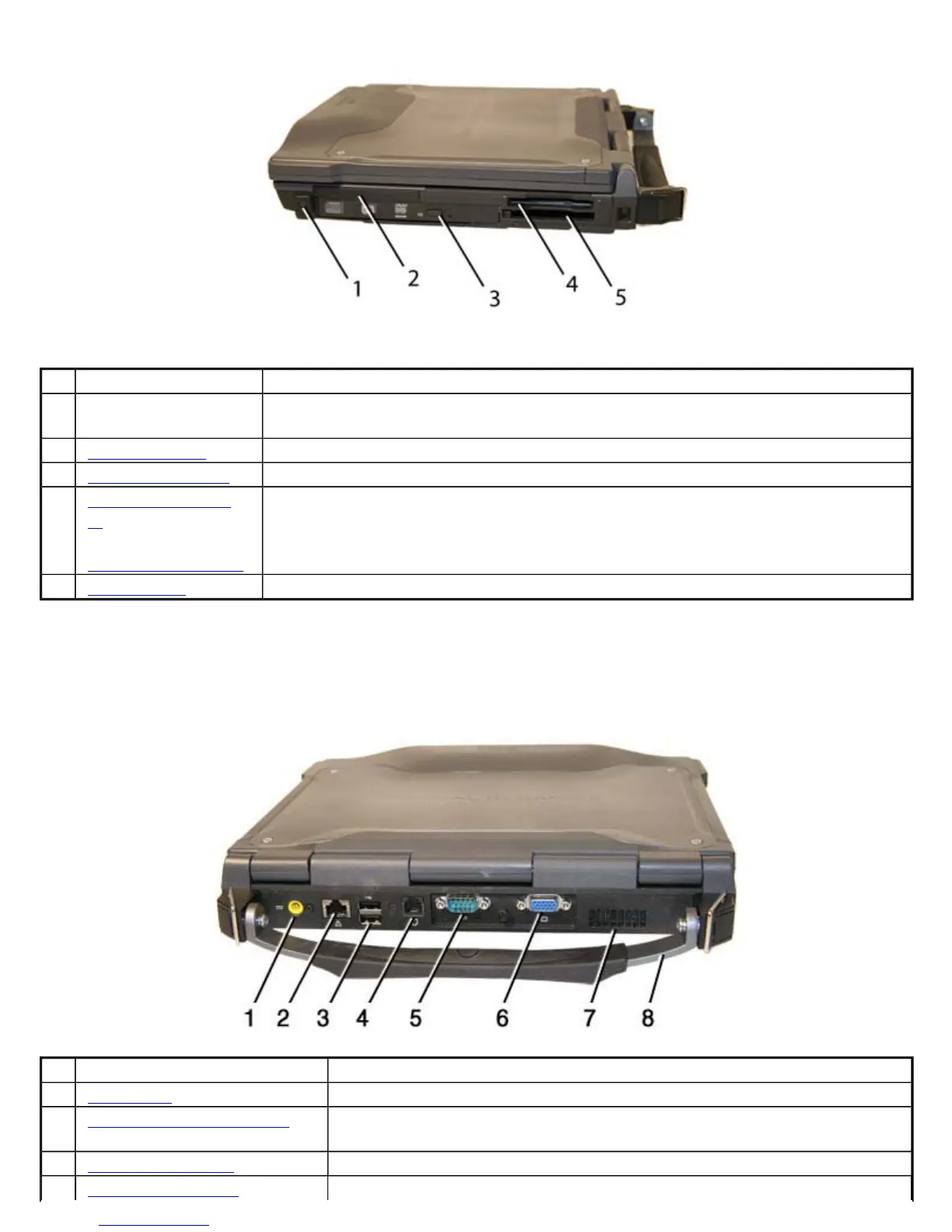
Back Edge View
Hover the mouse over each number on the picture to see a description
# Feature Description
1 Front Handle Mount The front soft handle mount, located on both sides of the unit, is used with the
optional soft handle
2 CRMA Express CRMA Express Radio bay
3 Optical Disk Drive CD-RW, DVD/CD-RW, or DVD-RW/CD-RW
4 Smart Card Reader
or
EXPRESS Card Slot
Smart Card Reader or EXPRESS Card
5 PC Card Slot Use this slot for PC Card devices
# Feature Description
1 DC-in Jack Connects to an AC adapter
2 Network Jack (RJ45/LAN) Connects to an Ethernet-based network. Connection speed is 10/100/1000
Mbps
3 Two 2.0 USB Ports Connects to USB devices (e.g., USB digital camera)
4 Modem Jack (RJ11) Connects a phone line to the internal fax/data modem. It can transmit data
Pa
e 9 of 70V
-2 Hel
4/26/2007file://C:\Documents and Settin
s\harwoodm\Local Settin
s\Tem
\~hh3F7F.htm



 To Next Page