10
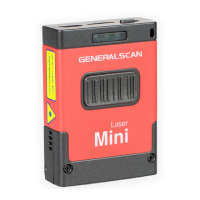
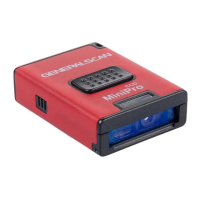
Item Name Description
1
Scanning
Window
2 Buzzer Hole
3
Trigger
Button
4
LEDs
Indicator
5 Strap Hole
Function Description
Reading barcode ,Red light or Laser will beam
out from this window
Fix strap into this hole
LED has three color (Red,Green,Blue) which
indicate with different scenario.Please reference
the following table for detail description
Press the trigger button to scan the barcode
one time,double click to hide and display soft
keyboard in iOS device like iphone or iPad.
The buzzer will sound when good decoded:
(1)Connect USB cable,buzzer will beep“b....b.b.”;
(2)Good decoed:Flashing green light and buzzer
one time.


 To Next Page