18
Item Name Description
1
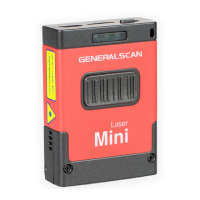
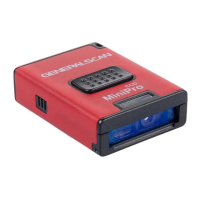
Scanning
Window
Reading barcode, Red light or Laser will beam
out from this window
2 Buzzer Hole
The buzzer will sound when good decoded:
(1)Connect USB cable,buzzer will beep
“b....b.b.”;
(2)Good decoed:Flashing green light and
buzzer one time.
3 Trigger Button
Press the trigger button to scan the barcode
one time,Double click to hide and display soft
keyboard in iOS device like iphone or iPad.
4 LEDs Indicator
LED has three color (Red,Green,Blue) which
indicate with different scenario.Please reference
the following table for detail description
5 Micro USB
Charge with Bluetooth barcode scanner with
Micro-USB or connect PC with USB port.
Function Description


 To Next Page