OPERATION INSTRUMENTS
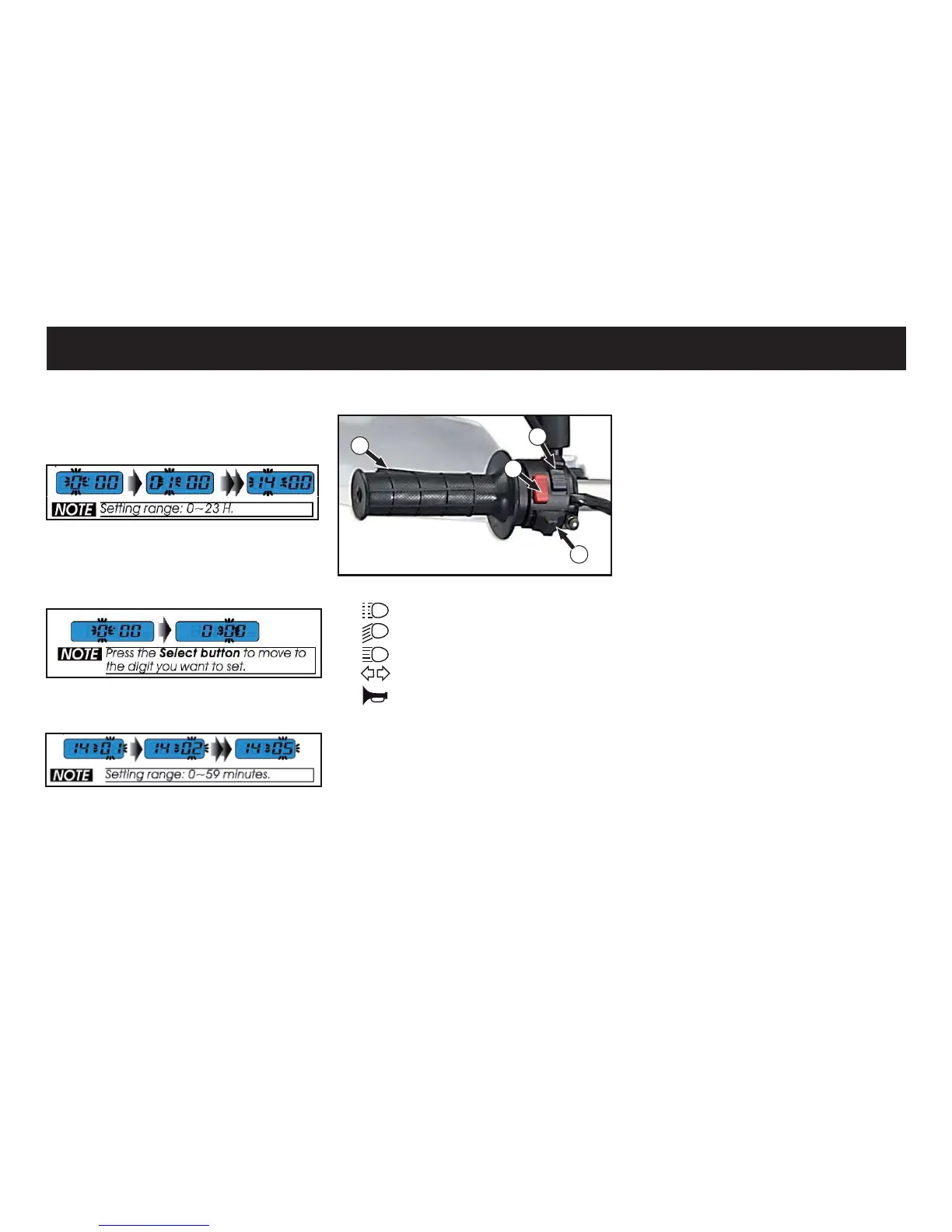
Handlebar switches
1. Light signal
Low beam switch
+LJKEHDPVZLWFK
2. Turn signal switch
+RUQVZLWFK
4. Clutch lever
1. Light signal
When the switch is in the low beam
position move the switch upwards
to use the light signal. The switch
will automatically return to the low
beam position.
Example: <RXZDQWWRVHWWKHKRXU
to 14h press the adjust button to
choose the hour you want to set.
Example: <RX ZDQW WR VHW WKHPL-
QXWHWRSUHVVWKHVHOHFWEXW-
ton to enter the minute settings.
Then press the adjust button to
choose the minute you want to set.
After the settings are done press
the select button to store your
settings and get back to the main
screen.
1. High/low beam switch
When the switch is in the low beam
position move the switch down-
wards to use the high beam light.
The switch will not return automati-
cally to the low beam position.
2. Turn signal switch
Move the switch from the center
position to the right to activate the
ULJKWÀDVKHUOLJKWRUPRYHWKHVZLWFK
WRWKHOHIWWRDFWLYDWHWKHOHIWÀDVKHU
light. The switch will not return au-
tomatically to the center position.
3. Horn switch
The horn is sounded with this but-
ton.
4. Clutch lever
The FOXWFKOHYHULV¿WWHGRQWKHOHIW
side of the handle bar.
1
2
3
4



 To Next Page