Quick Reference Guide I 02
01 I Quick Reference Guide
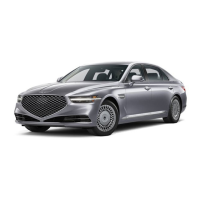
GENESIS G90
FEATURES AND CONTROLS
EASY CLOSE DOOR (if equipped)
Easy Close allows the doors
to be closed by the press of a
button.
Door handles pop up and
retract by a simple touch of
the sensor
A
The doors can be closed from
the outside by pressing the
lock/unlock sensor on the
door handle.
If Approach Unlock is active all
power door handles will pop
up when you are within range
holding smart key. If Approach
Unlock is not active, the door
handle will pop up when the
door handle sensor (engraved
part) is pressed.
The doors can be closed from
the inside by pressing the
open switch
C
on the door or
the door close button
D
on
the console.
When the lock button on your
smart key is held for more
than 3 second with engine
turned off, the doors will
automatically close and lock.
A
: Door handle
B
: Front center console
C
: Front door
D
: Rear armrest console
E
: Door Unlock
F
: Door Lock
A
B
C
D
MANUALLY OPENING DOOR
OPERATION OF DOOR LOCK
If the door does not open with
the door open button due to
battery discharge or vehicle
breakdown, pull the
emergency open lever under
the door pocket twice to open
the door. You may use the
emergency open lever even if
there is no problem with the
door open button.
E
F
Unlocking your vehicle
Touch the door lock/unlock sensor (engraved part) on the front outside door
handle while carrying the smart key with you.
• Outside door handles of all doors will pop out.
• The hazard warning lights will blink two times and all doors will unlock.
Locking your vehicle
To lock your vehicle using the door handle touch sensor or the Smart Key:
1. Make sure all doors, the hood and the trunk are closed.
2. Make sure you have the smart key in your possession.
3. Touch the touch sensor on the door handle (the engraved part) or press the
Door Lock button on the smart key. The hazard warning lights will blink.
• Make sure the doors are locked. When doors lock, the handle become flush
to the body.



 To Next Page
 Loading...