
 Need help?
Do you have a question about the Genesis GV70 2023 and is the answer not in the manual?
Functions and operation of the smart key fob for vehicle access and starting.
How to lock and unlock vehicle doors using the key fob or mechanical key.
Adjusting seat position, cushion length, seatback angle, and lumbar support.
How to adjust the head restraint height for safety and comfort.
Storing and recalling preferred driver seat, mirror, and steering wheel positions.
Operation of front and rear seat heating functions.
Operation of front and rear seat ventilation functions.
Procedures for opening, closing, and using the power liftgate.
Automatic liftgate opening when the smart key is within range.
Operation of front and rear wipers and washer systems.
Information displayed on the instrument cluster, including gauges and indicators.
How to change displayed information on the instrument cluster screens.
Explains various warning lights and indicators on the instrument cluster.
Information projected onto the windshield for driver convenience.
How to control and customize the information shown on the LCD display.
Detailed controls for front and rear climate settings, including defogging.
Selecting different airflow directions for the climate control system.
Choosing between recirculation and fresh air intake for the cabin.
Automatic climate control operation for cabin humidity.
Overview of subscription services and app integration.
Using the remote start feature for the vehicle.
Detailed instructions on using the navigation system and map features.
How to use the Qi-compatible wireless charging pad.
Information on using the vehicle's 12V power outlets.
How to connect devices using front and rear USB ports.
Operation of the radio system, including band selection and tuning.
Adjusting volume levels for different audio sources.
Programming the HomeLink system to operate garage doors.
Steps for programming HomeLink with rolling code garage door openers.
How to operate the electronic gear shift dial.
How to open the electric vehicle's charging port door.
Adjusting regenerative braking levels using paddle shifters.
Utilizing the i-Pedal system for one-pedal driving control.
System for maintaining vehicle control under adverse conditions.
System to detect and warn of potential frontal collisions.
Selecting different drive modes to suit road conditions or driving habits.
System to assist driving on highways, maintaining speed and lane.
System that warns and assists if the vehicle drifts out of lane.
System that helps keep the vehicle centered in its lane.
System to detect and warn about vehicles in blind spots.
System that monitors driver attention and suggests breaks.
System for maintaining speed and distance from vehicles ahead.
Display showing the area behind the vehicle for parking assistance.
System for remotely parking and exiting spaces.
System warning of obstacles near the vehicle during parking.
Adjusting the timing and volume of vehicle alerts.
System monitoring and alerting about tire pressure status.
Indicator for tires that are significantly under-inflated.
Indicator for a malfunction within the TPMS system.
Displaying tire pressure and indicating low pressure tires on the LCD.
How the brake disc cleaning function operates.
Functionality of the Auto Hold system for maintaining brake engagement.
System allowing fingerprint-based vehicle start and access.
Process for pairing a smartphone as a digital key.
Using NFC for keyless entry and authentication.
Overview of coverage for complimentary services, valet, and maintenance.
Details on arranging and using the valet service for vehicle maintenance.
Information on obtaining a courtesy loaner vehicle during service.
Details on scheduled maintenance coverage and vehicle eligibility.
Recommendations for scheduling and performing maintenance services.
Items and conditions not covered by the service program.
Conditions for transferring program coverage to family members.
Recommended maintenance schedule for normal and severe usage.
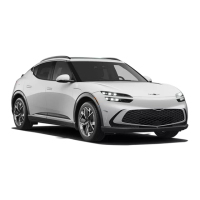
The Genesis Electrified GV70 is a luxury electric vehicle, and this document serves as a Quick Reference Guide to its features and controls, covering aspects from smart key operation to advanced driver-assistance systems and maintenance.
The smart key provides functions such as locking, unlocking, opening the liftgate, sounding the horn, and remote start. It also includes a Remote Smart Parking Assist feature. To remotely start the vehicle, the door lock button must be pressed within 32 feet (10m) of the vehicle, followed by pressing the Remote Start button for more than 2 seconds within 4 seconds. The hazard warning lights will blink, and the engine will start. The remote start function can be turned off by pressing the Remote Start button once. A mechanical key is accessible by prying open the smart key cover.
Doors can be locked/unlocked from outside using the mechanical key or touch sensors on the door handle. Pulling the door handle and turning the key towards the front locks the vehicle, while turning it towards the rear unlocks it. Using the mechanical key on the driver's door only locks/unlocks that door automatically. For keyless entry, placing a hand inside the door handle unlocks it, and pressing the touch sensor on the outside locks it. A 3-second delay prevents immediate unlocking after locking, and a 2-second delay prevents immediate locking after unlocking.
The front seats offer forward/backward adjustment, seat cushion length and support adjustment, seatback angle adjustment, and seat cushion height adjustment. Lumbar support and seat bolster adjustment are also available for the driver's seat. The Ergo-Motion seat (if equipped) automatically adjusts the driver's seat during long drives to improve posture.
Headrests can be adjusted up by pulling them to the desired position. To lower, press and hold the release button on the support and push down.
This system stores and recalls the driver's seat, outer side view mirror, and steering wheel positions. To store settings, the vehicle must be in Park with the engine ON. After adjusting positions, press the SET button, then one of the memory buttons (1 or 2) within 4 seconds. A beep confirms successful storage. To recall, press the desired memory button.
Both front and rear seats offer warming and cooling functions. Each press of the button cycles through OFF, HIGH, MIDDLE, and LOW settings. Pressing and holding the button turns the function off immediately.
The power liftgate can be opened using a button on the liftgate itself (smart key must be in range), by pressing and holding the button on the smart key, or via the main control button inside the vehicle. To close, press and hold the main control button. Liftgate opening height can be adjusted in vehicle settings.
When the smart key is within range for 3 seconds, the liftgate automatically opens. This feature is activated after 15 seconds when all doors are closed and locked, providing an audible and visual alarm. It is OFF by default and can be enabled in the AVN system settings (Setup > Vehicle > Door/Liftgate > Smart Liftgate).
The wiper system offers MIST (single wipe), OFF, AUTO (control wipe), LO (low speed), and HI (high speed) settings. Front windshield washer fluid is sprayed by pulling the lever, activating wipers for 1-3 cycles. The rear windshield wiper and washer are controlled by pushing the lever away, also activating wipers for 1-3 cycles. Wiper blades can be removed by lifting the lever to the MIST position for about 2 seconds, allowing the wipers to move to the top wipe position.
The instrument cluster is available in two types: Type A with an 8" LCD Display and Type B with a 12.3" LCD Display with 3D feature. Key indicators include speedometer, power/charge gauge, distance to empty, warning indicator lights, cluster display, battery SOC (State of Charge) gauge, and smart regeneration system.
View modes include Driving Assist (displays driver assistance systems), Turn By Turn (navigation), and Utility (trip distance, fuel economy, driver attention, TPMS). The LCD display mode control allows users to change modes, scroll through items, and select/reset settings using buttons on the steering wheel.
This transparent display projects instrument cluster and navigation information onto the windshield. It can be enabled and adjusted in the Vehicle Settings menu on the infotainment screen. Polarizing-filter sunglasses may make it difficult to read.
The front seat climate control includes driver and passenger temperature controls, fan speed, mode selection, air intake control, rear window defroster, A/C, and a HEAT button. The rear seat control (if equipped) offers fan speed, temperature, and mode selection.
This subscription service offers roadside assistance, service link, and account assistance, accessible via the CO button for voice-response or the SOS button for emergency assistance. Remote Start is a key feature, allowing users to remotely start the vehicle and control climate settings. A Personal Identification Number (PIN) is required for remote start.
This system allows programming up to three garage door openers. Programming involves pressing and holding a button on the HomeLink mirror, then holding the original transmitter near the mirror until the indicator flashes or turns solid. For rolling code systems, further steps involving the garage door opener's "Learn" button are required.
The navigation system displays map position, map view mode, map scale, navigation volume, and menu options. It allows stopping/resuming routes, viewing estimated arrival time, current location, and destination, and displaying the route. Turn-by-Turn (TBT) function can be toggled, and route conditions can be changed.
Located in the front console, this system charges Qi-enabled cellular phones when all doors are closed and the ignition is in ACC/ON. Metallic items, coins, or credit cards should be kept off the charger to prevent damage.
12V (180W) power outlets are available in the front and luggage compartment for mobile devices and other vehicle electrical systems.
USB ports in the front allow connecting external audio devices. Rear USB chargers are designed for recharging small electrical devices. An AC inverter provides 110 volts (180 watts) for operating electric accessories.
The rotary shifter controls gear selection. To shift to Park, press the P button while depressing the brake pedal. To shift to Neutral, rotate the dial clockwise from Reverse or counterclockwise from Drive. To shift to Reverse, rotate the dial counterclockwise.
To open the charging door, depress the brake pedal, apply the parking brake, turn off all switches, shift to P (Park), turn off the vehicle, and push the charging door where the triangle symbol is located. The door opens only when the vehicle is unlocked. In freezing weather, tap lightly or remove ice to open.
Paddle shifters adjust the regenerative braking level (0 to 3) during deceleration. The left paddle increases braking, and the right decreases it. Holding the left paddle for more than 0.5 seconds activates One-pedal driving. Holding the right paddle for over 1 second toggles automatic regenerative braking.
i-Pedal provides vehicle speed control (acceleration/deceleration, stopping) via the acceleration pedal. To operate, pull the left paddle shifter to level 3 regenerative braking. The vehicle stops when speed is less than 1 mph (3 km/h), even if the paddle is released. The i-Pedal indicator illuminates in the instrument cluster.
This system helps maintain vehicle control under adverse conditions. Pressing the button turns ESC on or off.
FCA detects and monitors vehicles, pedestrians, or cyclists, warning the driver of imminent collisions with messages, audible warnings, and emergency braking. Active Assist applies braking or steering assist, while Warning Only provides warnings without assistance. FCA can be turned off in settings.
Drive modes can be set based on road conditions or driving habits by pushing the DRIVE MODE switch up or down.
HDA detects vehicles and lanes, maintains distance, set speed, and centers the vehicle between lanes on highways. It activates when driving on the highway (under 120 mph) and the Driving Assist button on the steering wheel is pressed. The indicator illuminates green when active.
LKA detects lane markings (or road edges) and warns the driver if the vehicle leaves the lane without a turn signal, providing steering assistance. It operates above 40 mph and the indicator is green.
LFA detects lane markings and/or vehicles, assisting steering to keep the vehicle between lanes. It is activated by a short press of the Lane Driving Assist button on the steering wheel, and the white or green indicator illuminates.
BCA detects and monitors approaching vehicles in the blind spot, warning of potential collisions with messages and audible warnings. It can also apply the brake to help avoid collisions when changing lanes or exiting parking spaces.
DAW analyzes driving patterns and time to determine driver attention levels, recommending a break if attention falls below a certain level. Inattentive Driving Warning and Leading Vehicle Departure Alert are sub-functions.
SCC detects the vehicle ahead, maintaining a desired speed and minimum distance. To turn on, press the Driving Assist button. The speed is set to the current speed, and the vehicle adjusts speed to maintain distance from the vehicle ahead. Vehicle distance can be adjusted (Distance 4, 3, 2, 1), and cruising speed can be increased/decreased using '+' and '-' switches. SCC can be temporarily canceled by pressing the switch or brake pedal, and turned off by pressing the Driving Assist button again.
This system displays the area behind the vehicle when shifting to Reverse or pressing the Parking/View button in Park. The display may be affected by darkness, rain, sun glare, or a dirty camera lens.
RSPA uses vehicle sensors to help the driver park and exit spaces remotely by controlling steering, speed, and gearshifts. It is activated by pressing and holding the Parking/View button with the engine on and gear in D or N.
PDW warns the driver of obstacles detected within a certain distance at low speeds. It can be turned on/off with the Parking Safety button. If off, it automatically activates when shifting to Reverse. It does not operate above 6 mph (10 km/h).
Warning timing (Standard or Late) and volume (High, Medium, Low, Off) for alerts can be customized in the settings menu (Setup > Vehicle > Driver Assistance).
The Low Tire Pressure Indicator illuminates if tires are significantly under-inflated. The TPMS Malfunction Indicator blinks then remains illuminated if there's a system malfunction. Tire pressure for each tire is displayed on the LCD, and the Low Tire Pressure Indicator illuminates if pressure drops below specification.
This function operates when the AUTO HOLD button is pressed and held for over 3 seconds. It restrains regenerative braking while the brake is depressed about 10 times, then turns off automatically.
The Auto Hold feature assists on steep hills by holding the brake until the accelerator pedal is pressed. Press the AUTO HOLD switch to activate. When the vehicle stops, the brakes remain engaged. To release, press the accelerator pedal with transmission in D, R, or manual mode. Pressing the AUTO HOLD switch again cancels the operation.
The guide provides a scheduled maintenance table for normal and severe usage, including:
This program offers complimentary services for the first 3 years or 36,000 miles, whichever comes first.
 General
| Brand | Genesis |
|---|---|
| Model | GV70 2023 |
| Category | Automobile |
| Language | English |













 To Next Page