Need help?
Do you have a question about the Genexis Pure F500 and is the answer not in the manual?
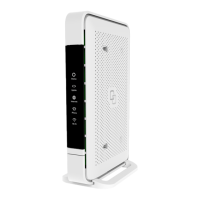
Details the status, uplink, internet, phone, and WiFi LED indicators and their meanings.
Explains the functions of the mode button for WPS and WiFi control.
Describes the reset button for factory settings.
Explains the ON/OFF button for powering the device.
Identifies USB, Telephone, LAN, and Power ports.
Lists the items included in the giftbox for setup.
Provides steps for connecting the fiber optic cable to the device.
Details options for standing or wall-mounting the device.
Guides through powering on the device and initial boot process.
Explains how to connect personal devices via WPS or manual setup.
Helps diagnose issues based on LED indicator colors and states.
Instructions for performing a factory reset.
States compliance with relevant EU directives.
Details frequency bands and maximum radio power.
 General
| Model | Pure F500 |
|---|---|
| Category | Gateway |
| Wi-Fi Standard | 802.11ac |
| Wireless Frequency Bands | 2.4 GHz, 5 GHz |
| VoIP | Yes |
| Technology | GPON |
| POTS | Yes |
| USB 2.0 | Yes |
| Weight | 400g |
| LAN Ports | 4x Gigabit Ethernet |
| Power Supply | 12V DC |

 To Next Page