EasyManua.ls Logo

Genexis Platinum - User Manual

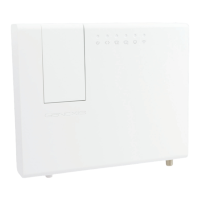
Genexis Platinum
12 pages
Print Icon
To Next Page IconTo Next Page
Loading...
Quick Installation Guide
Platinum
Question and Answer IconNeed help?

Do you have a question about the Genexis Platinum and is the answer not in the manual?

Summary

Platinum Overview

Device Ports and Interfaces

Detailed explanation of all physical ports and connectors on the Platinum device.

Status Indicator LEDs

Meaning and function of the various LEDs indicating device status and activity.

Device Buttons and Functions

Description of the physical buttons and their operational functions like reset and WPS.

Device Installation

Powering On the Platinum Device

Step-by-step guide on connecting the power adapter and initiating the device startup.

Connecting to Your Computer

Instructions for establishing a wired connection from your computer to the Platinum.

Connecting a Telephone Device

Guide on how to connect a standard analog telephone to the Platinum's voice ports.

Cleaning and Maintenance

Recommendations for safely cleaning the Platinum device to prevent damage.

Network Setup Procedures

Configuring Windows Network Settings

Steps to set up automatic IP and DNS configuration in Windows for network connectivity.

Wireless Network Configuration

Identifying Wireless Credentials

How to find and record the SSID and WPA key for your secure wireless network.

Establishing Wireless Connection

Guide to connect your device to the Platinum's Wi-Fi using credentials or WPS.

Platinum Configuration

Accessing the Web Interface

Instructions on launching a web browser and navigating to the Platinum's IP address.

Login Credentials and Security

Details on logging in with default credentials and changing your password.

Router Settings Customization

Guidance on configuring various router settings via the web interface.

Troubleshooting and Support

LED Status Issues

Solutions for problems indicated by the status LEDs on the Platinum device.

Connectivity and Voice Problems

Troubleshooting steps for link status, internet, and voice functionality issues.

Web Interface Access and Reset

How to resolve web interface access issues and reset the router to factory defaults.

Summary

Platinum Overview

Device Ports and Interfaces

Detailed explanation of all physical ports and connectors on the Platinum device.

Status Indicator LEDs

Meaning and function of the various LEDs indicating device status and activity.

Device Buttons and Functions

Description of the physical buttons and their operational functions like reset and WPS.

Device Installation

Powering On the Platinum Device

Step-by-step guide on connecting the power adapter and initiating the device startup.

Connecting to Your Computer

Instructions for establishing a wired connection from your computer to the Platinum.

Connecting a Telephone Device

Guide on how to connect a standard analog telephone to the Platinum's voice ports.

Cleaning and Maintenance

Recommendations for safely cleaning the Platinum device to prevent damage.

Network Setup Procedures

Configuring Windows Network Settings

Steps to set up automatic IP and DNS configuration in Windows for network connectivity.

Wireless Network Configuration

Identifying Wireless Credentials

How to find and record the SSID and WPA key for your secure wireless network.

Establishing Wireless Connection

Guide to connect your device to the Platinum's Wi-Fi using credentials or WPS.

Platinum Configuration

Accessing the Web Interface

Instructions on launching a web browser and navigating to the Platinum's IP address.

Login Credentials and Security

Details on logging in with default credentials and changing your password.

Router Settings Customization

Guidance on configuring various router settings via the web interface.

Troubleshooting and Support

LED Status Issues

Solutions for problems indicated by the status LEDs on the Platinum device.

Connectivity and Voice Problems

Troubleshooting steps for link status, internet, and voice functionality issues.

Web Interface Access and Reset

How to resolve web interface access issues and reset the router to factory defaults.

Genexis Platinum Specifications

General IconGeneral
CategoryGateway
ManufacturerGenexis
ModelPlatinum
Power Supply12V DC
WiFi802.11ac
Ports4x Gigabit Ethernet

Related product manuals