4
2. Installation
Step 1
Before installation, make sure your Platinum
is connected to your Internet modem or fiber
demarcation point using either the Internet port, or
fiber port (see page 2).
Step 2: Powering the device
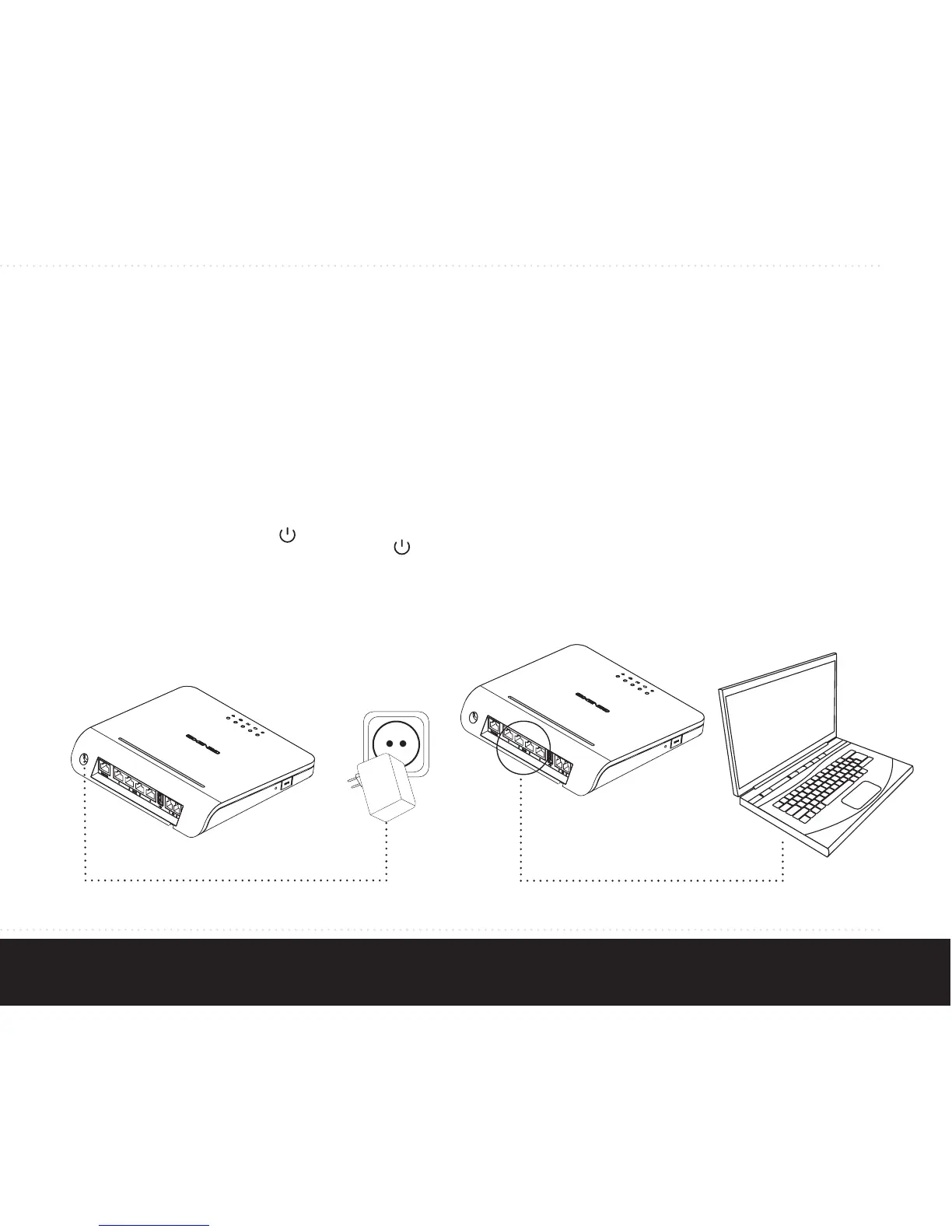
Connect the 12V plug of the supplied adapter to the
Platinum power connector and connect the adapter
to a power socket. The unit will now start up. During
the start-up sequence the
LED flashes, and
when the startup sequence is complete the
should
be on. Other LEDs may flash during startup.
The complete start-up sequence may take several
minutes.
Step 3: Connecting your computer
Connect your computer or laptop to one of the
Ethernet LAN ports on the Platinum, using an RJ-45
Ethernet cable. Your provider can tell you which
ports to use.
Note: refer to section “Fixed network setup” if your
connection is not working directly from the start.


 To Next Page