Need help?
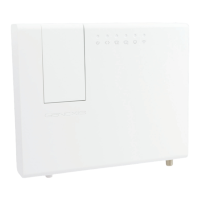
Do you have a question about the Genexis Platinum-6880 and is the answer not in the manual?
Describes the WPS button's location and function for easy wireless device configuration.
Guides connecting the Platinum to the internet modem via fiber or Ethernet.
Instructs on connecting the power adapter and plugging it into an AC socket for startup.
Details connecting a computer or laptop to a LAN port using an Ethernet cable.
 General
| Category | Gateway |
|---|---|
| WAN Ports | 1 |
| LAN Ports | 4 |
| FXS (VoIP) | 2 |
| USB Ports | 1 |
| POTS | Yes |
| GPON Interface | Yes |
| Operating Temperature | 0°C to 40°C |
| Humidity | 10% to 90% (non-condensing) |
| Device Type | Gateway |
| Wi-Fi Bands | Dual Band |
| Power Supply | 12V DC |
| Storage Temperature | -20 to 70 °C |
| Wi-Fi Standard | Wi-Fi 6 (IEEE 802.11ax) |


 To Next Page