EasyManua.ls Logo

Genexis Platinum-6820 - User Manual

Genexis Platinum-6820
24 pages
Print Icon
To Next Page IconTo Next Page
Loading...
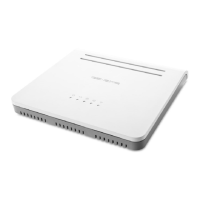
Platinum
Residential Gateway
Full Installation Guide
Question and Answer IconNeed help?

Do you have a question about the Genexis Platinum-6820 and is the answer not in the manual?

Summary

Models Supported

Box Content

Information Label Details

Rubber Feet

Button Overview

WPS Button Function

Enables easy configuration with other wireless devices.

Reset Button Function

Allows resetting and performing factory resets of the Platinum.

Power Button Function

Located at the back, enables turning the Platinum on or off.

Port Overview

Fiber Port Installation

Installation Guide

Device Placement

Details options for placing the Platinum on a desk or mounting it on a wall.

Connect to Internet Modem

Instructions for connecting the Platinum to your internet modem via fiber or Ethernet.

Connect to Power

Steps for connecting the power adapter to the Platinum and plugging it into an AC socket.

Connect to Computer

Instructions for connecting a computer or laptop to the Platinum using an Ethernet cable.

Connect to Telephone

Guide for connecting a telephone handset to the active voice port(s).

Connect to Television

Instructions for connecting a television to the CATV connector for CATV service.

LAN Network Setup

Check Internet Connection

Steps to verify the internet connection by trying to access a web page.

Configure Network Settings (Windows)

Details on ensuring Windows computer network settings are correctly configured for DHCP.

Configure Network Settings (macOS)

Instructions for configuring network settings on macOS for DHCP.

Test Network Connection

Guidance on testing the internet connection after setup and troubleshooting.

Wireless Setup Guide

WPS Wireless Connection

Instructions for using the WPS button for quick wireless device connection.

Manual Wireless Connection

Details on manually setting up WiFi using SSID and WPA key.

Wireless Setup (Windows)

Step-by-step guide for connecting to a wireless network on Windows.

Wireless Setup (macOS)

Instructions for connecting to a wireless network on macOS using SSID and WPA key.

LED Status Indicators

Troubleshooting Common Issues

Web Interface Not Reachable

Steps to resolve issues where the Platinum's web interface cannot be accessed.

Perform Factory Reset

Instructions on how to perform a factory reset on the Platinum device.

Advanced Configuration

Safety and Care Instructions

Safe Operation Guidelines

Guidelines for safe handling and use of the Platinum, including fiber optic safety.

Operating Conditions

Specifies the recommended temperature range for operating the Platinum.

Repair and Service Advice

Advice on service, not opening the housing, and contacting the service provider.

Device Care and Maintenance

Instructions on how to clean and maintain the Platinum device.
Appendix: SFP Installation

Notes and Labels

Summary

Models Supported

Box Content

Information Label Details

Rubber Feet

Button Overview

WPS Button Function

Enables easy configuration with other wireless devices.

Reset Button Function

Allows resetting and performing factory resets of the Platinum.

Power Button Function

Located at the back, enables turning the Platinum on or off.

Port Overview

Fiber Port Installation

Installation Guide

Device Placement

Details options for placing the Platinum on a desk or mounting it on a wall.

Connect to Internet Modem

Instructions for connecting the Platinum to your internet modem via fiber or Ethernet.

Connect to Power

Steps for connecting the power adapter to the Platinum and plugging it into an AC socket.

Connect to Computer

Instructions for connecting a computer or laptop to the Platinum using an Ethernet cable.

Connect to Telephone

Guide for connecting a telephone handset to the active voice port(s).

Connect to Television

Instructions for connecting a television to the CATV connector for CATV service.

LAN Network Setup

Check Internet Connection

Steps to verify the internet connection by trying to access a web page.

Configure Network Settings (Windows)

Details on ensuring Windows computer network settings are correctly configured for DHCP.

Configure Network Settings (macOS)

Instructions for configuring network settings on macOS for DHCP.

Test Network Connection

Guidance on testing the internet connection after setup and troubleshooting.

Wireless Setup Guide

WPS Wireless Connection

Instructions for using the WPS button for quick wireless device connection.

Manual Wireless Connection

Details on manually setting up WiFi using SSID and WPA key.

Wireless Setup (Windows)

Step-by-step guide for connecting to a wireless network on Windows.

Wireless Setup (macOS)

Instructions for connecting to a wireless network on macOS using SSID and WPA key.

LED Status Indicators

Troubleshooting Common Issues

Web Interface Not Reachable

Steps to resolve issues where the Platinum's web interface cannot be accessed.

Perform Factory Reset

Instructions on how to perform a factory reset on the Platinum device.

Advanced Configuration

Safety and Care Instructions

Safe Operation Guidelines

Guidelines for safe handling and use of the Platinum, including fiber optic safety.

Operating Conditions

Specifies the recommended temperature range for operating the Platinum.

Repair and Service Advice

Advice on service, not opening the housing, and contacting the service provider.

Device Care and Maintenance

Instructions on how to clean and maintain the Platinum device.

Appendix: SFP Installation

Notes and Labels

Genexis Platinum-6820 Specifications

General IconGeneral
BrandGenexis
ModelPlatinum-6820
CategoryGateway
LanguageEnglish

Related product manuals