Rev C Instructions
Procedure
Part No. 216767 SmartLink Software 5
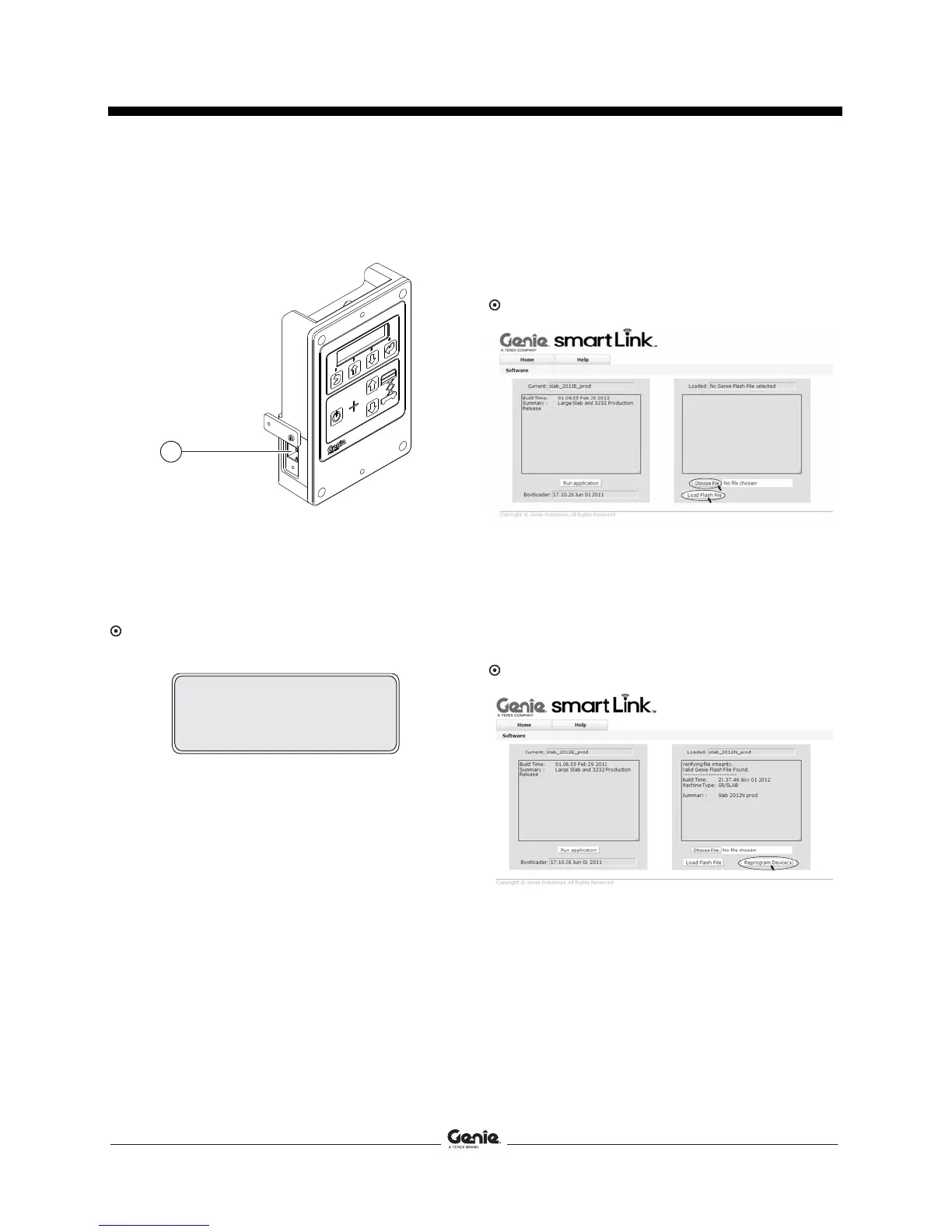
5 Locate the diagnostic port on the side of the
GCON. Remove one of the fasteners securing
the cover and set aside. Loosen the other
fastener. Do not remove it.
1 diagnostic port
6 Connect one end of a CAT5 Ethernet cable into
the diagnostic port. Connect the other end into
a PC or laptop.
Result: The ground controls LCD display will
show the following:
7 Read and record the IP address.
8 Launch a web browser such as Internet
Explorer ®, Chrome ® or Firefox ® on your PC
or laptop. Type the IP address from step 7 into
the web browser address bar and press enter.
Result: The following screen will be displayed.
9 Select the Choose File button and navigate to
the downloaded Genie Flash file (.gff).
Note: Verify it is the correct flash file.
10 Select the Load Flash File button to verify the
file is a .gff file.
Result: The following screen will be displayed.
1
OPEN WEB BROWSER
<IP ADDRESS>


 To Next Page