Instructions Rev C
Procedure
4 SmartLink Software Part No. 216767
Loading or Updating Machine
Software
Note: Before updating the machine software, open
a web browser and navigate to the following
location for the Genie Machine Software Download
portal, http://firmware.genielift.com. Perform a
search by applying the appropriate filters and
download the machine software.
Note: There are two procedures available to update
the machine software. These are Bootloader
Mode and Machine Application Mode.
Bootloader Mode: The Bootloader mode is only
available with the key switch in the GCON position.
It allows the user to update or reinstall the machine
software by directing the system into the
Bootloader.
Choose this mode if the GCON ECM is not
opertaing correctly.
Machine Application Mode: The machine
Application mode is available with the key switch in
the GCON or PCON position. This mode of
machine software update requires the user to enter
the Machine Service Tool.
Choose this mode if the machine is operating
correctly and you are updating the machine
software.
Bootloader Mode
1 Open the GCON compartment.
Note: Some models will require opening the ground
control box to access the GCON.
2 Turn the key switch to the ground controls
position and pull out the red Emergency Stop
button to the on position at the platform
controls.
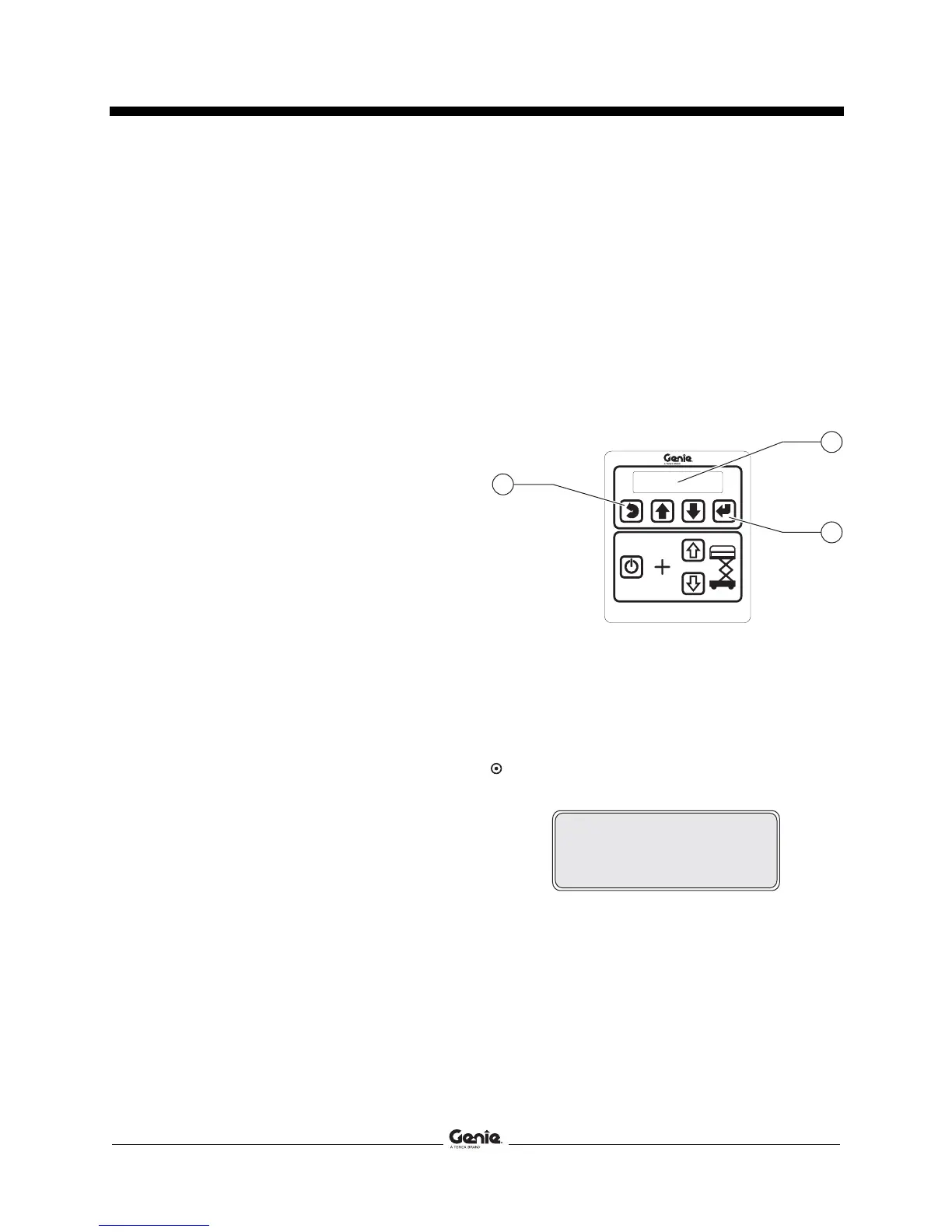
3 At the ground controls, press and hold the
Enter and Escape buttons.
1 LCD display
2 enter button
3 escape button
4 Pull out the red Emergency Stop button to the
on position at the ground controls.
Result: The ground controls LCD display will
show the following:
137562
43
2
1
1
2
3
SOFTWARE UPDATE
CONNECT ETHERNET


 To Next Page