English
-15-
Item Mode Description
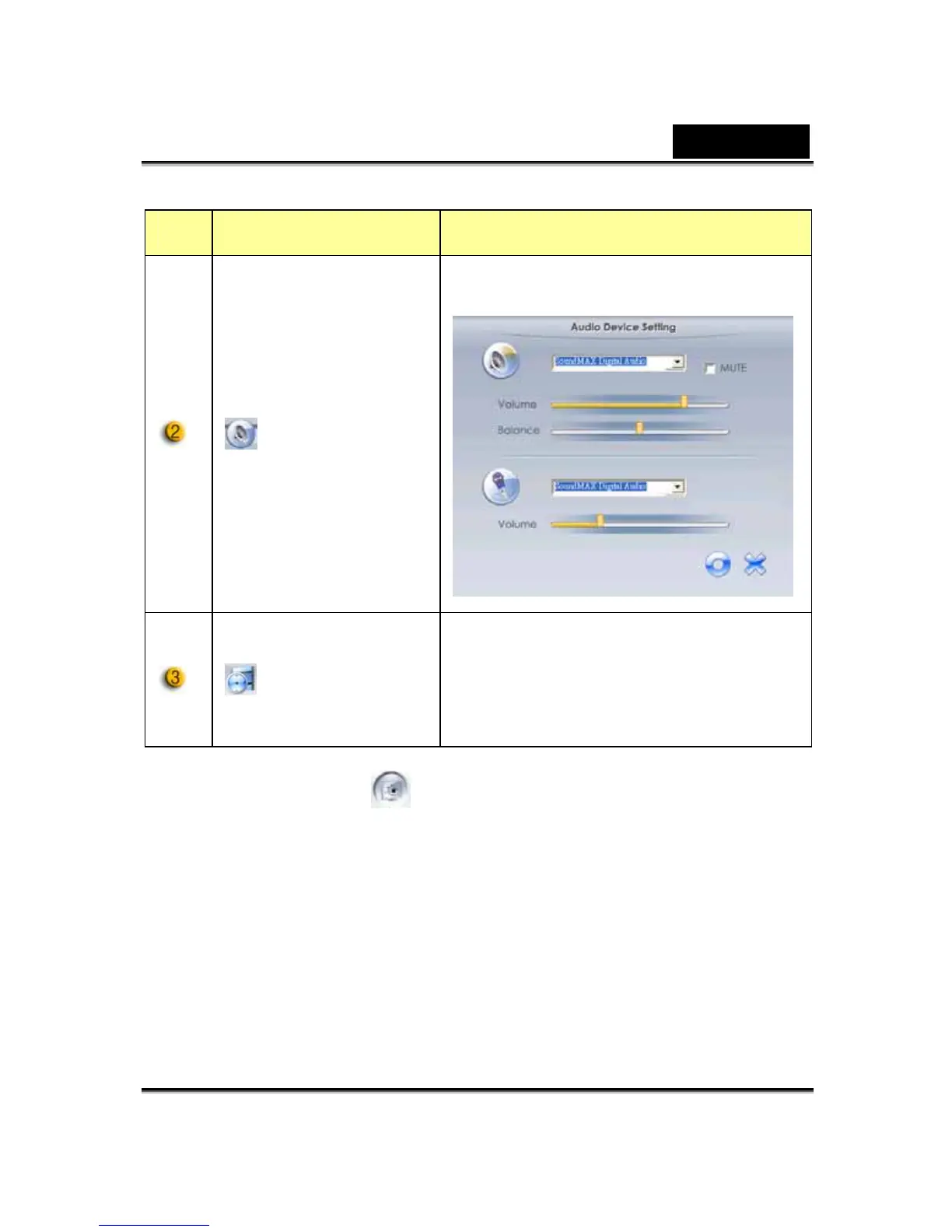
Audio Setting
Setting the audio device.
Recording
time display
Displays recording time.
“00:00:00” mean hours, minutes,
seconds.
4. Security Mode
Using motion detection function, it records any movements that appear
in front of your monitor automatically. It can also record anytime until
the HD is full. If there’s no movement, it will shut down automatically
after four seconds or otherwise it will be active when detecting new
movement.












 To Next Page