English
-69-
For connecting your messenger and CrazyTalk Cam Suite, the audio/video
devices must be set manually. Take Skype for instance:
1. Launch CrazyTalk Cam Suite
before using IM applications.
2. Make sure that you have
already logged onto your
instant-messaging application.
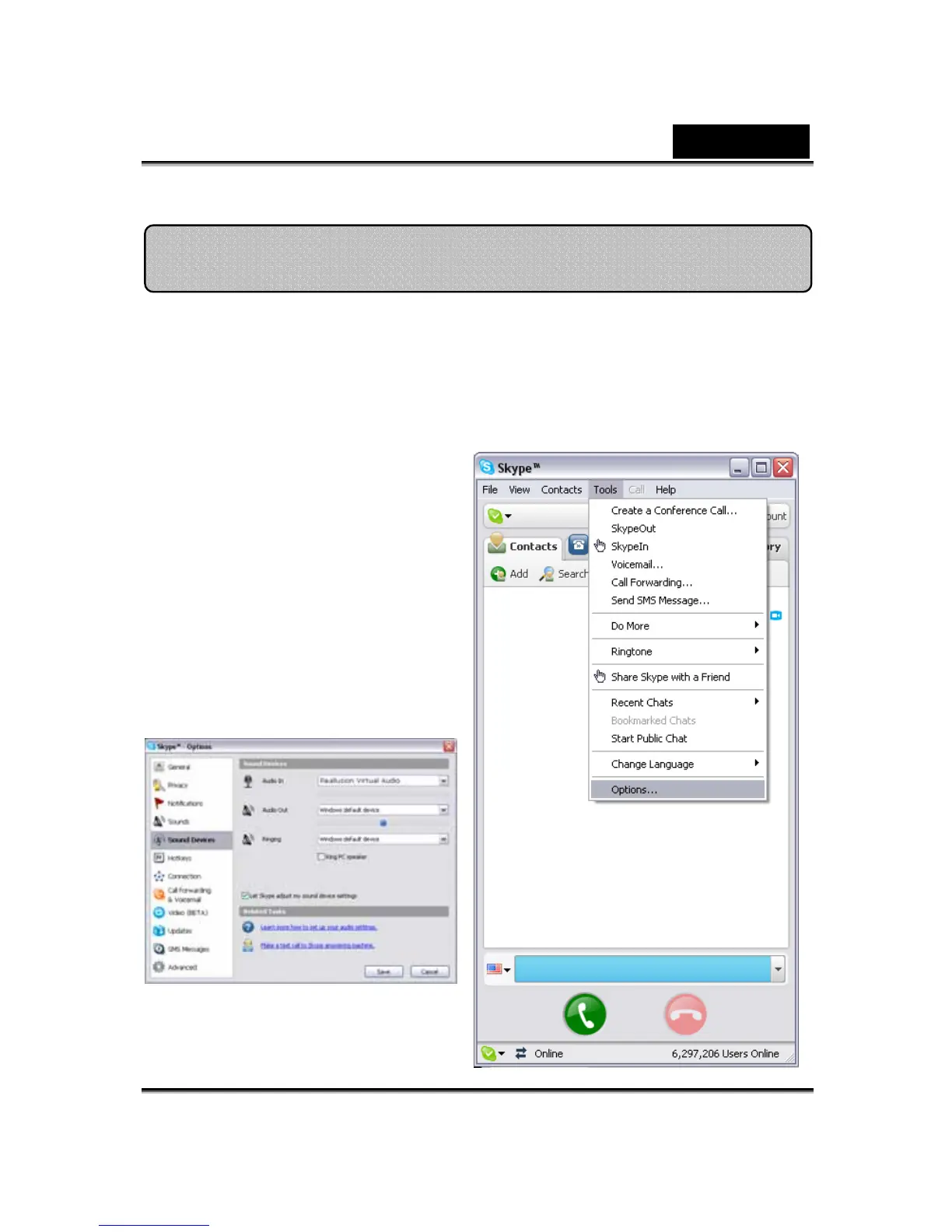
3. Click Tools/Options... to
open the option dialog box.
4. Select the Sound Devices
and set the Audio In to
Reallusion Virtual Audio.
Set Devices












 To Next Page